

For people with a keen interest in investing and the stock market, using an iPhone or an iPad can often serve as a boon. These beautiful devices, with their technology arsenal and a hoard of essential apps, can often help investors and speculators make the right investment decisions. There are a number of stock market apps available on the market, and most of these apps are compatible with your Android and iOS devices. Some of these apps can also be installed on your MacBook and you can save the information from the apps for the future once you know how to backup a mac. However, if you own an iPhone, you have an added benefit that you might not even be aware of. Apple has its own stock market app that offers its users with incredible features that not many iPhone users know of.
Most investors with an iPhone are ever on the lookout for apps that could help them make smart investment decisions and stay updated on all that transpires in the stock market. However, the app that makes it all happen on one single platform is right in front of you. Apple’s own stock market app does all that we said and much more. Therefore, if you have been unaware of this app that is nothing short of a blessing for Apple users for a long time, maybe this article can help you wrap your heads around the same and enlighten you on using the Apple stock app on your iPhone.
Customizing the Display of the Stock App:
Before we head over to learning about the advanced features of this app, let us begin with some of the basics. The first thing that we shall be talking about is that of customizing the app’s display. There are a number of ways to do the same so that it can save your time while navigating the app and help you make quick decisions.
Adding Stocks
Apple displays a few stocks for you, but you do not have to make your peace with only what you get. You can add and remove stocks to your benefit. All you have to do is select the stocks menu and click on the plus sign that appears on the top-left corner of the screen. Here you can search for the required stocks and add them by clicking on the green plus sign just beside it.
Reordering Stocks
You also do not have to settle for the design in which your stocks appear on the app. You can always reorder your stocks to read them better. To do this, tap on the menu button on the app and hold the reorder button next to the stock that you want to reorder. The reorder button appears in the form of three parallel lines. You can then hold and drag the stock to your desired position on the screen.
Changing the Units
Every person using this app might have different things that they want to learn about their stocks. And depending on what you want to learn, you can change the value of the stocks. In order to do so, you have to tap the value that is placed next to your stock, and once you tap on the stock, you shall have the option to select different units.

Some Special Features of the App:
The app has gone through several changes and enhancements over the years. It has incorporated many unique features that make investing and managing investments easy and comfortable. That said, let us take a look at some of these features and learn how they make investments better.
News
The app has the News feature that gathers all-important news pieces about the stock market, investments and the economy so that you can read them and make better investment decisions. All you have to do is swipe up from the main page of the app and read the stories that you think affect you and your stocks.
Reviewing Historical Data
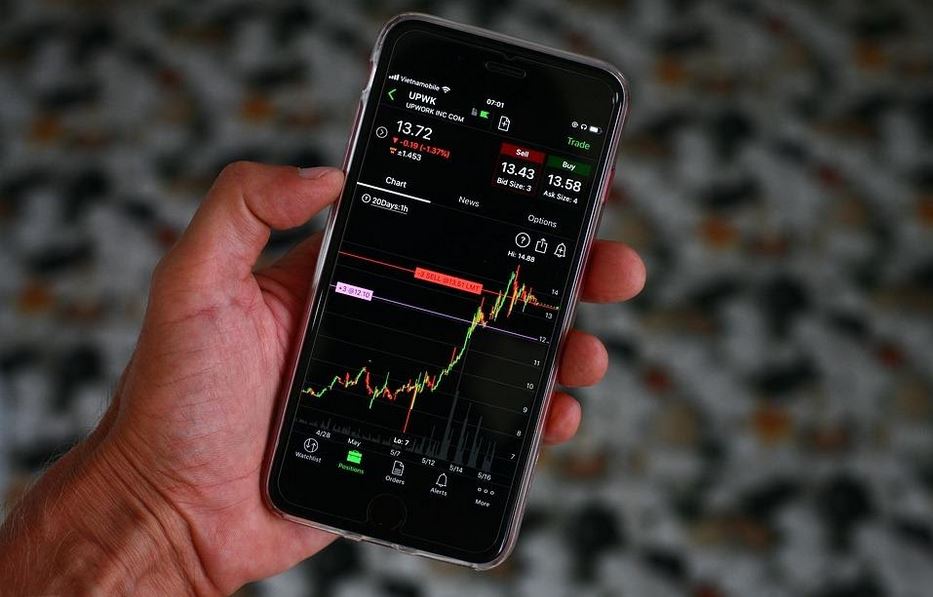
The Apple stock app allows you to tap on a stock and see the data related to it. You can check its current status and also its history. These pieces of information can help you better review the stocks, compare their history with their current status and make important investment decisions.
Keep Tabs on Your Stocks’ Performance
Another feature of the app that comes quite handy for investors and speculators is to check how well the stocks are performing throughout the day. The app has small charts that trace the performance of the stocks till the market closes. This helps you make better investment decisions.
Summing Up:
While some investors are aware of the perks of this app and use the same for their day-to-day investment decisions, some are still unaware of the app. If you are one of those who just realized that there is an Apple stock app that can help you make smart investment decisions, read through the article and enlighten yourself.


Comments
Log in or sign up to join the conversation.