
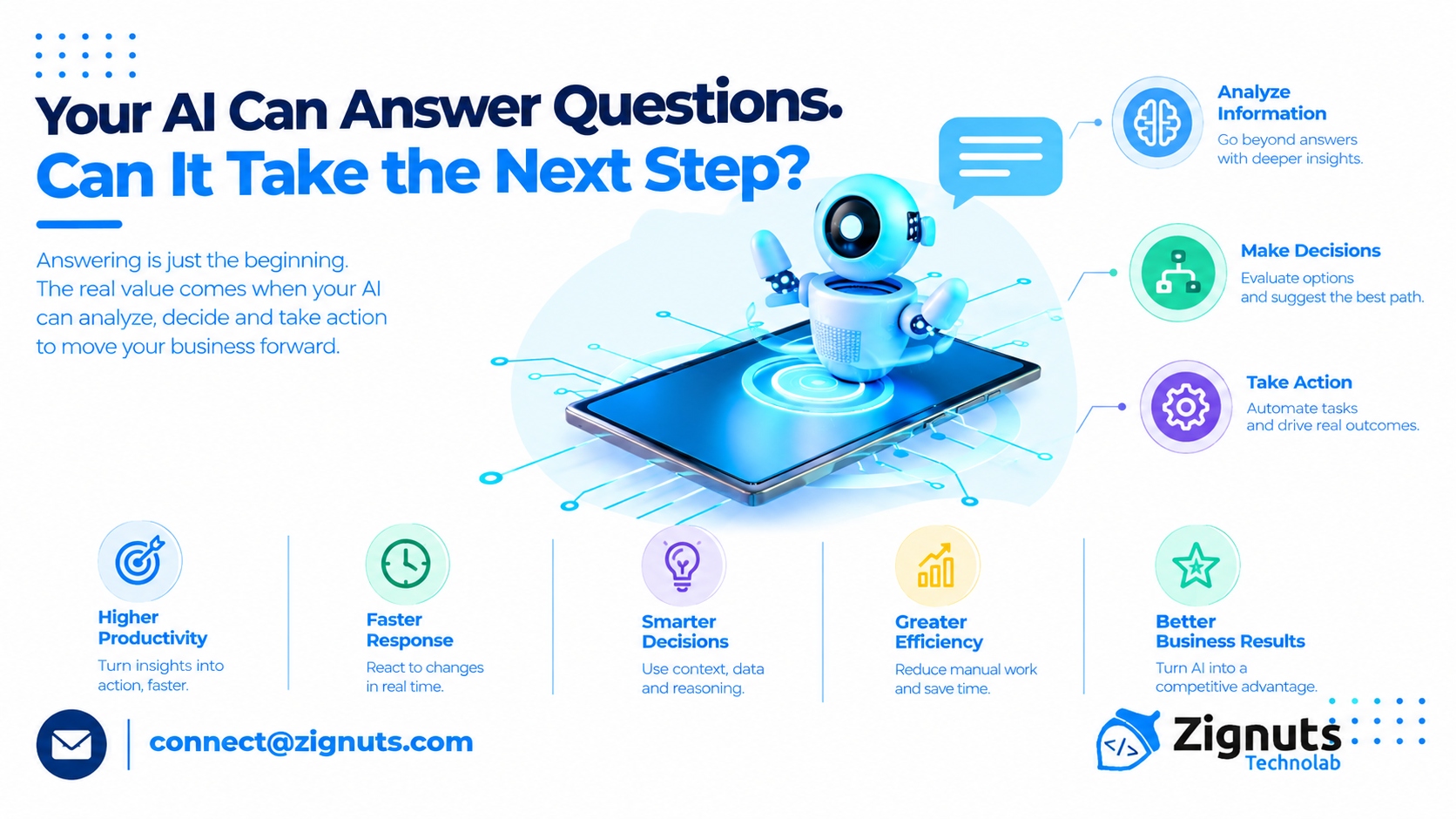
Businesses are increasingly using artificial intelligence to answer questions, analyze information, and support employees. However, providing an answer is often only the beginning of a business process. The real value emerges when AI can help determine what should happen next and support the execution of that action. AI-powered business agents are designed to connect information, decision support, and workflow execution within defined organizational boundaries.
Consider a sales representative asking an AI system to identify a potential customer who has shown interest in a product. A conventional AI tool may summarize customer activity. A business agent could analyze approved customer data, recommend a follow-up action, prepare a personalized message, update the CRM, and schedule a reminder for the sales representative.
This shift from answering questions to supporting the next step can help businesses improve productivity and reduce manual coordination. However, successful implementation requires clear objectives, reliable information, secure integrations, and appropriate human oversight.
Why Answering Questions Is Not Enough
Conversational AI has made it easier for employees to access information. Teams can ask questions about company policies, customer records, product details, reports, and operational procedures.
Yet many business activities do not end when an answer is provided.
An employee asking, “Which invoices are overdue?” may need to follow up with customers, update payment records, notify the finance team, and prepare a collection report. A response that only lists overdue invoices leaves the remaining work to the employee.
AI-powered business agents can be designed to support the broader workflow. They may retrieve information, identify relevant actions, use approved business tools, and coordinate the next steps.
Capability | Question-Based AI | AI-Powered Business Agent |
|---|---|---|
Main function | Provides information or answers | Supports goals and business workflows |
Output | Text, summaries, or recommendations | Information combined with approved actions |
Workflow support | Usually limited to the current request | Can coordinate multiple process steps |
Integration | May use selected data sources | Can connect with approved business systems |
Human role | Reviews or uses the response | Supervises, approves, or handles exceptions |
The objective is not to replace every conversational interaction. It is to identify where business processes can benefit from AI-supported action.
What Are AI-Powered Business Agents?
AI-powered business agents are software systems that use artificial intelligence to interpret business objectives, retrieve relevant information, plan tasks, and perform approved actions across organizational workflows.
They may combine several technologies and capabilities, including:
Enterprise knowledge retrieval
Workflow orchestration
API and application integration
Business rules
Data analysis
Task planning
Human approval
Monitoring and audit logging
A business agent may be designed for a specific function, such as sales, customer support, finance, HR, or IT. Its responsibilities should be determined by the needs and risks of the workflow.
For example, a finance agent may be allowed to review invoice data and prepare an approval request. It may not be authorized to release payments without additional verification and approval.
The agent’s value comes from how effectively it supports a business objective, not from how many tasks it can perform independently.
From Information to Action
The difference between an AI response and an AI-supported workflow becomes clearer when looking at a practical business scenario.
Imagine a customer contacts a company about a delayed order.
A basic AI system may provide the customer with a general explanation of delivery timelines. A business agent could potentially:
Retrieve the customer’s order information.
Check the current shipment status.
Review available delivery updates.
Identify whether the order requires escalation.
Prepare a customer response.
Create or update a support ticket.
Notify the appropriate internal team.
Each action should be subject to access controls, data validation, and business policies. The agent should not provide unsupported explanations or promise outcomes that the organization cannot confirm.
A well-designed agent helps connect the customer’s question to the operational process required to resolve it.
Business Applications of AI-Powered Agents
AI-powered business agents can support different departments when their capabilities are aligned with specific workflows and business objectives.
1. Sales and Lead Management
Sales teams often spend time researching prospects, updating CRM records, preparing follow-ups, and coordinating meetings.
An AI-powered business agent can help with:
Lead information retrieval
Customer interaction summaries
CRM data updates
Follow-up preparation
Task and reminder creation
Opportunity-status monitoring
For example, an agent may identify that a prospect has requested product information and prepare a follow-up draft based on approved customer data. A sales representative can review the message before it is sent.
This approach can reduce administrative work while keeping relationship management under human supervision.
2. Customer Support
Customer support involves more than responding to incoming questions. Teams must identify issues, review customer history, check policies, update tickets, and coordinate resolutions.
A business agent can support these activities by connecting customer conversations with service systems.
Potential actions include:
Categorizing support requests
Retrieving customer records
Checking order or service status
Creating tickets Routing cases to specialized teams
Preparing status updates
High-impact complaints, sensitive cases, and unusual situations should be escalated according to established procedures.
3. Finance and Accounting
Finance teams manage invoices, expenses, payment inquiries, reconciliations, and reporting tasks. Many activities involve structured information and predefined processes.
An AI-powered business agent may help review invoice information, identify missing details, compare records, and route documents for approval.
However, financial workflows require strong controls. The agent should not bypass approval processes, change financial records without authorization, or independently execute high-risk transactions.
4. Human Resources
HR departments manage employee questions, onboarding, policy assistance, documentation, and internal requests.
A business agent can help employees access approved policies, prepare onboarding checklists, create administrative tasks, and track the progress of routine requests.
Because HR systems contain sensitive personal information, agents must use role-based access and follow privacy requirements. Some employee-related decisions should remain under direct human supervision.
5. IT and Internal Operations
IT teams handle service requests, incident management, troubleshooting, and access-related workflows.
An AI agent can retrieve technical documentation, classify tickets, recommend troubleshooting steps, and initiate approved service requests.
Actions involving privileged access, security configuration, or major infrastructure changes should require strict controls and authorized review.
Department | Potential Agent Application | Business Consideration |
|---|---|---|
Sales | Lead research, CRM updates, follow-up preparation | Data accuracy and representative approval |
Customer support | Ticket routing, status checks, case coordination | Privacy and escalation procedures |
Finance | Invoice review, document validation, approval routing | Financial controls and auditability |
Human resources | Policy assistance, onboarding coordination | Employee privacy and restricted access |
IT | Troubleshooting, incident classification, service requests | Security permissions and change management |
The Importance of Business Context
An AI-powered business agent needs access to relevant context to provide useful recommendations and take appropriate actions.
A customer service agent may need order information, account history, product policies, and delivery updates. A finance agent may require invoice records, purchase orders, approval rules, and vendor information.
Without the right context, an agent may:
Misinterpret a request
Retrieve irrelevant information
Recommend an unsuitable action
Use outdated records
Miss important workflow conditions
Businesses should identify authoritative data sources and define how the agent handles incomplete or conflicting information.
Retrieval-augmented generation can support knowledge access, while API integrations allow the agent to interact with business applications. These capabilities should be connected through a carefully designed workflow.
Connecting Agents to Business Applications
An AI-powered business agent can provide more practical value when it works with existing enterprise systems. Integrations allow the agent to retrieve data, create records, prepare actions, and coordinate processes.
Potential integration points include:
CRM systems
ERP platforms
Customer support applications
HR management software
Project management tools
Document repositories
Communication platforms
Analytics systems
Each integration should have defined permissions and actions. For example, an agent may be allowed to read a customer record and create a draft update, but not delete information or change sensitive fields.
Organizations should also consider what happens when an integrated system is unavailable. The agent should report the issue clearly, avoid repeating harmful actions, and escalate the workflow when necessary.
Designing the Next-Step Experience
The most useful business agents do not simply execute actions without context. They help determine the next appropriate step based on the user’s goal, available information, and organizational rules.
A reliable next-step experience may include the following elements:
Goal Identification
The agent should understand what the user is trying to achieve rather than relying only on individual keywords.
For example, “Help me handle this customer issue” may require clarification about the problem, customer identity, and desired resolution.
Context Collection
The agent should gather the information needed to evaluate the request. It should avoid making assumptions when critical details are missing.
Action Selection
The agent should identify permitted actions and select an appropriate sequence based on business rules and available tools.
Confirmation and Approval
When an action has significant consequences, the agent should request confirmation from an authorized user before execution.
Outcome Reporting
After completing an action, the agent should explain what was done, identify any incomplete steps, and provide relevant references when possible.
This structure helps employees understand the agent’s behavior and maintain control over important decisions.
Human Oversight and Business Accountability
AI-powered business agents can perform selected tasks, but accountability remains an essential part of the workflow.
Businesses should define when an agent can act independently and when an employee must review the proposed action.
Low-Risk Actions
These may include retrieving information, preparing summaries, organizing tasks, or creating drafts.
Approval-Based Actions
These may include sending external communications, updating important records, submitting requests, or initiating business transactions.
Restricted Actions
These may involve financial approvals, privileged access, legal commitments, sensitive employee information, or irreversible system changes.
The level of human oversight should be determined by the potential consequences of an incorrect action. Clear approval rules and activity logs help organizations maintain accountability.
Challenges in Implementing Business Agents
Although AI-powered business agents can support operational improvements, organizations should address several challenges before deploying them at scale.
1. Unreliable Information
An agent may produce an incorrect response when the data source is outdated, incomplete, or inconsistent. Businesses should validate important information and identify authoritative records.
2. Incorrect Action Selection
The agent may misunderstand the user’s objective or choose an inappropriate next step. Structured workflows, validation rules, and human approval can reduce this risk.
3. Integration Failures
APIs may become unavailable, return incomplete information, or change their requirements. Agents need error-handling procedures and fallback options.
4. Security and Privacy Concerns
Agents may interact with confidential business information. Role-based access, authentication, monitoring, and data protection should be included in the system design.
5. Limited Employee Trust
Employees may be hesitant to rely on an agent if they cannot understand its actions or correct its mistakes. Transparent status updates and clear escalation processes can improve confidence.
6. Unclear Ownership
Organizations should establish who is responsible for agent performance, data quality, workflow design, and incident management.
A Practical Roadmap for Deployment
Businesses can introduce AI-powered business agents through a focused and controlled implementation strategy.
Step 1: Identify a Valuable Workflow
Choose a process with repetitive tasks, measurable inefficiencies, and clearly defined outcomes. Prioritize workflows where AI-supported action can address a genuine business need.
Step 2: Document the Current Process
Identify the people, systems, data sources, decisions, approvals, and exceptions involved in the workflow.
Step 3: Define the Agent’s Scope
Specify which information the agent can access, which tools it can use, and which actions require approval.
Step 4: Prepare Data and Integrations
Review data quality, establish secure system connections, and define how the agent should handle missing or conflicting information.
Step 5: Test Common and Unusual Scenarios
Evaluate the agent using normal requests, incomplete instructions, incorrect data, system failures, and high-risk situations.
Step 6: Launch With Limited Responsibilities
Begin with a restricted user group or a low-risk workflow. Monitor outcomes before expanding the agent’s authority.
Step 7: Measure and Improve
Use performance data and employee feedback to improve prompts, workflows, integrations, access controls, and escalation rules.
Measuring Business Agent Performance
The effectiveness of an AI-powered business agent should be measured through operational outcomes rather than conversation volume alone.
Useful metrics include:
Workflow completion rate
Average processing time
Task accuracy
Human intervention rate
Escalation frequency
Error and rework rates
Employee productivity
Customer resolution time
Cost per completed workflow
Compliance exceptions
Organizations should also evaluate whether the agent improves the overall process. If automation reduces one task but creates additional review work elsewhere, the business should reassess the workflow design.
Questions Business Leaders Should Consider
Before investing in AI-powered business agents, executives should ask:
What business outcome should the agent improve?
Define the operational problem and identify measurable objectives.
What should happen after the agent provides an answer?
Identify the next steps that can be supported through tools, workflows, or human collaboration.
What information does the agent need?
Review the reliability, availability, and access restrictions of relevant data sources.
Which actions require approval?
Classify activities according to their potential operational, financial, legal, and security impact.
How will errors be handled?
Establish validation, monitoring, recovery, and escalation mechanisms.
Who owns the workflow?
Assign responsibility for the system’s performance, business outcomes, and ongoing maintenance.
The Future of AI-Powered Business Agents
AI-powered business agents may increasingly become part of everyday enterprise applications. Rather than opening a separate AI tool, employees may interact with agents directly within CRM, finance, HR, service management, and project management platforms.
Specialized agents may support individual departments, while coordinated systems could help manage workflows that cross organizational boundaries. This development will require reliable integrations, consistent governance, and clear rules for communication between systems.
Businesses should focus on practical use cases rather than adopting autonomy solely because it is technically possible. The most valuable implementations will connect AI capabilities to clearly defined business outcomes.
Conclusion
Your AI can answer questions, but the next opportunity is to help it support the actions that follow. AI-powered business agents can connect knowledge retrieval, decision support, and workflow execution to help organizations reduce manual coordination and improve operational efficiency.
Their effectiveness depends on more than conversational intelligence. Businesses need reliable data, secure integrations, defined permissions, human oversight, and measurable performance goals.
The right question for business leaders is not simply whether AI can provide an answer. It is whether the system can help employees take the next appropriate step, complete tasks responsibly, and achieve better business outcomes.
Frequently Asked Questions
1. What are AI-powered business agents?
AI-powered business agents are systems that use artificial intelligence to understand business goals, retrieve relevant information, coordinate tasks, and execute approved actions within organizational workflows.
2. How are business agents different from AI chatbots?
Chatbots generally focus on responding to questions, while business agents can be designed to support multi-step workflows and perform approved actions through connected systems.
3. Which departments can use AI-powered business agents?
Sales, customer service, finance, HR, IT, operations, and other departments may use business agents for workflows involving information retrieval, coordination, task preparation, and controlled execution.
4. Are AI-powered business agents fully autonomous?
Their level of autonomy varies by design. Some agents only provide recommendations, while others can execute low-risk tasks automatically within defined permissions and approval rules.
5. How can businesses implement AI-powered agents responsibly?
Businesses should begin with a focused workflow, define the agent’s scope, prepare reliable data, establish secure integrations, test different scenarios, and monitor performance with appropriate human oversight.
Comments
Log in or sign up to join the conversation.