
WhatsApp has become an important communication channel for businesses that want to connect with customers, generate leads, provide support, and automate conversations. As businesses explore WhatsApp automation, two terms frequently appear: WhatsApp Bot API and WhatsApp Chatbot.
Although these terms are often used interchangeably, they do not necessarily refer to the same thing.
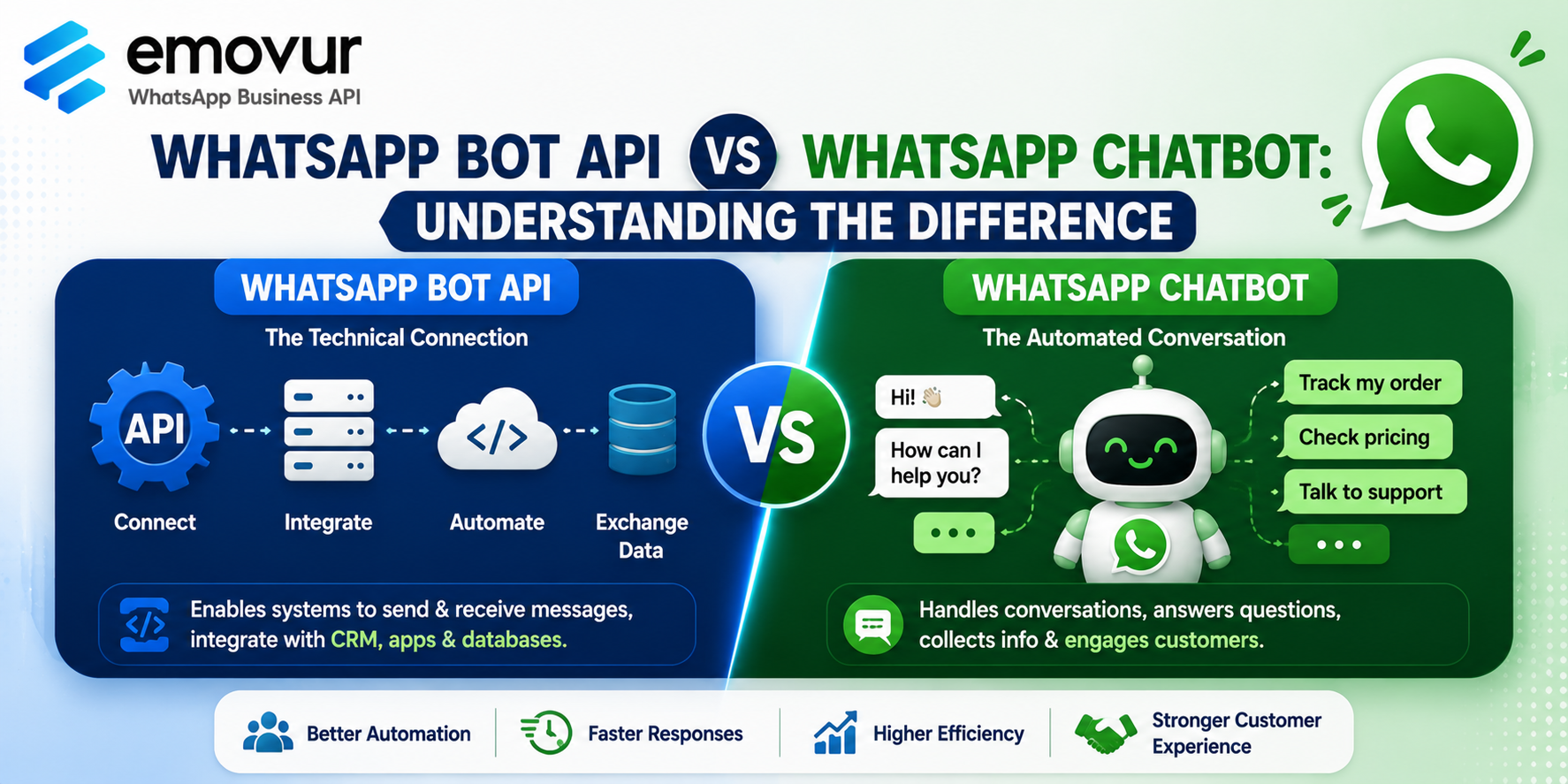
A WhatsApp chatbot is the automated conversation system that interacts with customers, while a WhatsApp Bot API generally refers to the technical interface and infrastructure used to connect the bot with WhatsApp and other business systems.
Understanding this difference can help businesses choose the right WhatsApp automation solution for their requirements.
This guide explains the difference between WhatsApp Bot API and WhatsApp Chatbot, how they work together, and which option businesses should consider.
What Is a WhatsApp Bot API?
A WhatsApp Bot API is an API-based system that allows businesses or software platforms to connect WhatsApp with automated business workflows.
It can act as a bridge between WhatsApp and other systems such as:
CRM platforms
Websites
Ecommerce systems
Databases
Lead management software
ERP systems
Custom applications
Chatbot platforms
The API allows businesses to send and receive messages programmatically and build customized communication workflows.
For example:
Customer sends WhatsApp message → API receives message → Bot processes request → System generates response → API sends response to customer
Businesses interested in WhatsApp automation can explore the WhatsApp Business API by Emovur to understand how WhatsApp inboxes, chatbots, automation, and integrations can support business communication.
What Is a WhatsApp Chatbot?
A WhatsApp chatbot is an automated conversational system that interacts with customers on WhatsApp.
The chatbot is responsible for the conversation logic.
For example:
Customer: I want to know your services.
Bot: Which service are you interested in?
Customer: SEO.
Bot: What is your monthly budget?
Customer: ₹20,000.
The chatbot can collect the information and pass the qualified lead to a salesperson.
A chatbot can be designed to answer questions, collect information, qualify leads, provide product details, route support requests, and transfer conversations to human agents.
Businesses can learn more about this use case through the WhatsApp Chatbot for Business guide.
WhatsApp Bot API vs WhatsApp Chatbot
The simplest way to understand the difference is:
WhatsApp Bot API = Technical connection
WhatsApp Chatbot = Automated conversation
The API provides the communication layer that allows software to interact with WhatsApp.
The chatbot provides the actual conversational experience that customers interact with.
Think of it this way:
WhatsApp → API → Chatbot → Business System
The API helps messages move between WhatsApp and the software.
The chatbot determines what the customer should see and how the conversation should progress.
How Do They Work Together?
A WhatsApp Bot API and chatbot can work together as part of a complete automation system.
A typical workflow could look like:
Customer → WhatsApp → API → Chatbot → CRM → Salesperson
For example, imagine a real estate company receiving an enquiry.
Customer: I'm looking for an apartment.
Chatbot: Which location are you interested in?
Customer: South Bangalore.
Chatbot: What is your budget?
Customer: ₹80 lakh.
The chatbot collects the information.
The API can then connect that information with the company's CRM or lead management system.
The salesperson can receive the qualified lead and continue the conversation.
This combination allows businesses to automate the initial customer interaction while keeping their existing business systems connected.
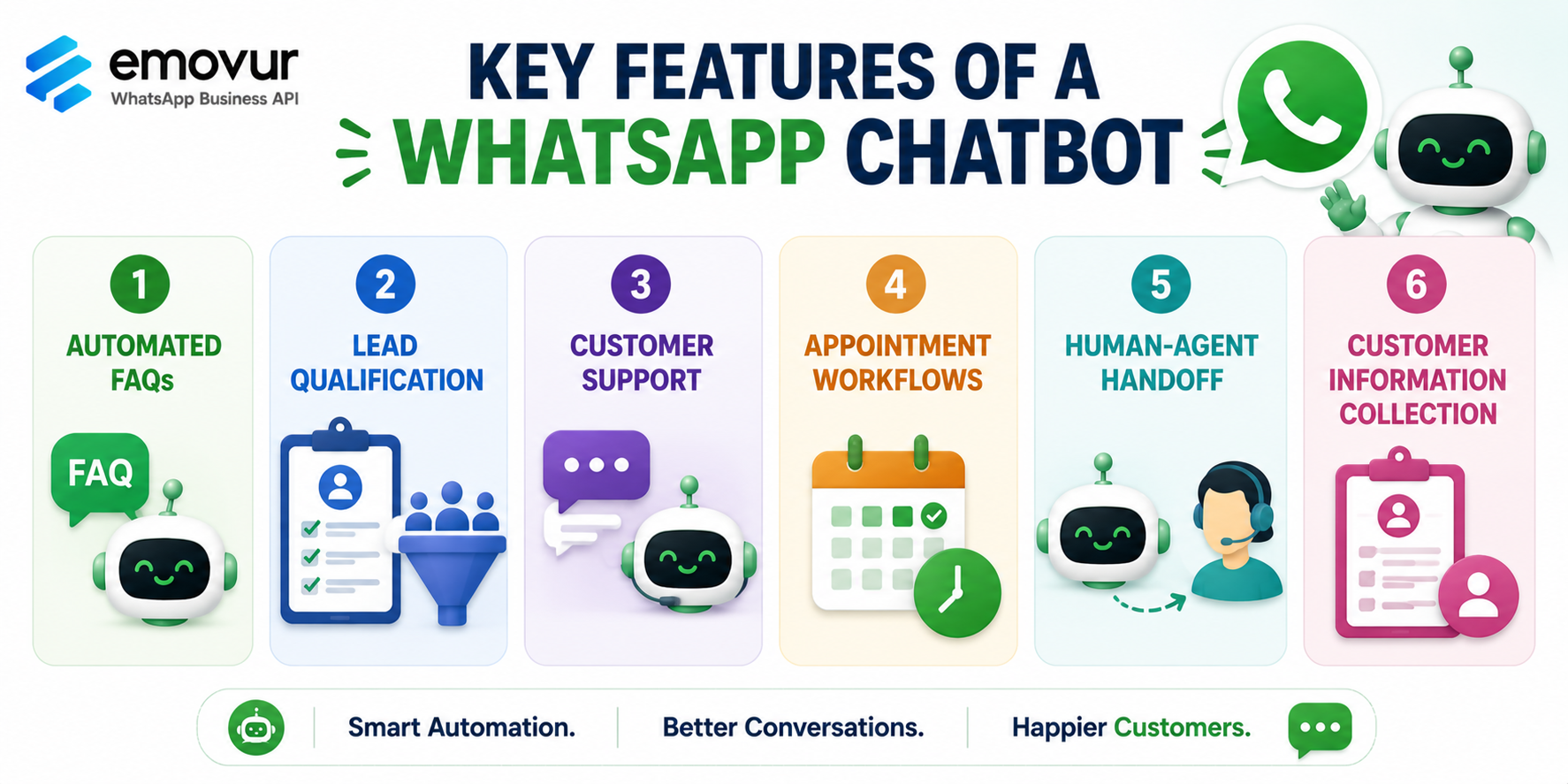
Key Features of a WhatsApp Chatbot
A chatbot can provide several customer-facing features.
1. Automated FAQs
Chatbots can answer common questions about products, services, pricing, locations, business hours, and availability.
2. Lead Qualification
A chatbot can ask qualifying questions before transferring a prospect to a salesperson.
3. Customer Support
Chatbots can handle basic support enquiries and route complex issues to human agents.
4. Appointment Workflows
Businesses can guide customers through appointment-related conversations such as booking, rescheduling, or cancellation.
5. Human-Agent Handoff
Customers can be transferred from automation to a human representative when required.
6. Customer Information Collection
Chatbots can collect names, locations, requirements, budgets, order numbers, and other relevant information.
What Can a WhatsApp Bot API Do?
The API provides the technical capabilities behind these workflows.
Depending on the implementation, it can support:
Sending messages
Receiving messages
Webhooks
Template messages
Customer data transfer
CRM integration
Ecommerce integration
Custom workflows
Backend applications
Database connections
Automated triggers
For example, when a customer submits information through a chatbot, the API can help send that information to a CRM.
This makes the API particularly valuable for businesses that require customized integrations.
WhatsApp Bot API for Business Automation
Businesses can use the API and chatbot together for different workflows.
Lead Generation
Advertisement → WhatsApp → Chatbot → Qualification → CRM → Salesperson
Customer Support
Customer → WhatsApp → Chatbot → FAQ → Human Agent
Ecommerce
Customer → Product Enquiry → Chatbot → Product Information → Order Support
Appointment Management
Customer → Service Selection → Date Selection → Confirmation
The exact workflow depends on the business and the capabilities of the selected platform.
Which Is Better for Small Businesses?
For most small businesses, the question is not necessarily WhatsApp Bot API vs WhatsApp Chatbot.
They often need both, but the business may not need to manage the technical API directly.
A small business may prefer a platform that provides a ready-made chatbot builder, WhatsApp inbox, automation tools, and API infrastructure in one dashboard.
This allows the business to create automated workflows without developing the entire technical system from scratch.
For example, a local service business might simply need:
WhatsApp → Chatbot → Customer Details → Human Agent
A larger company with an internal development team may require:
WhatsApp API → Custom Backend → CRM → Database → AI System → Customer
The appropriate solution therefore depends on the company's technical requirements.
WhatsApp Bot API for Developers
Developers may prefer direct API access when a business requires customized functionality.
For example, a company could build a custom application that:
Receives a WhatsApp message
Sends the message to its backend
Checks customer information
Retrieves data from a CRM
Generates a response
Sends the response back through WhatsApp
This provides greater flexibility but also requires development resources.
Businesses should therefore check whether their chosen WhatsApp platform provides developer API access, webhooks, documentation, and integration capabilities.
WhatsApp Chatbot Platforms for Non-Technical Businesses
Businesses without development teams may prefer a platform with a visual chatbot builder.
Instead of writing code, users can create workflows using:
Triggers
Questions
Buttons
Lists
Responses
Conditions
Actions
Human-agent handoffs
This can make chatbot automation easier to implement and manage.
A visual platform can be particularly useful for startups, small businesses, marketing teams, sales teams, and customer support teams.
Free WhatsApp Bot API Options
Businesses that are testing WhatsApp automation may also search for a free WhatsApp API or free WhatsApp chatbot platform.
Some providers offer ₹0 monthly platform plans with selected inbox and chatbot features.
However, businesses should distinguish between free platform access and free WhatsApp messaging.
Applicable WhatsApp messaging charges may still apply depending on the message category, usage, and current pricing structure.
For more information about the cost structure, businesses can read the WhatsApp API Pricing in India guide.
What Should Businesses Look For?
When choosing a WhatsApp automation platform, compare:
WhatsApp API access
Chatbot builder
Shared team inbox
Human-agent handoff
Automation triggers
Interactive messages
WhatsApp Flows
CRM integrations
Ecommerce integrations
Developer APIs
Webhooks
Analytics
Broadcast capabilities
Customer support
Pricing
Messaging charges
Upgrade options
The WhatsApp API Provider Checklist can help businesses evaluate these factors before choosing a provider.
See WhatsApp Bot Automation in Action
If you're unsure whether your business needs a chatbot platform or more advanced API integration, seeing the technology in action can help.
The WhatsApp API Product Demo can help businesses understand features such as chatbots, shared team inboxes, broadcasts, WhatsApp Flows, automation, and other WhatsApp business tools.
A demo can also help identify whether a ready-made platform is sufficient or whether deeper developer integration is required.
Final Thoughts
The difference between a WhatsApp Bot API and a WhatsApp Chatbot becomes easier to understand when you separate the technical layer from the customer-facing layer.
The WhatsApp Bot API provides the technical connection that allows WhatsApp to communicate with software, databases, CRMs, and custom applications.
The WhatsApp Chatbot manages the automated conversation that customers actually interact with.
For a small business, a ready-made WhatsApp automation platform may provide both capabilities without requiring extensive development. Larger companies with technical teams may prefer more direct API access for customized integrations.
The best approach is to choose a solution based on your business goals, automation requirements, technical resources, integrations, messaging volume, and budget.
If you're ready to explore WhatsApp automation, review the WhatsApp Business API plans and pricing and explore the WhatsApp API Product Demo to understand how chatbots and API-based automation can support customer communication, lead generation, and business growth.
Comments
Log in or sign up to join the conversation.