
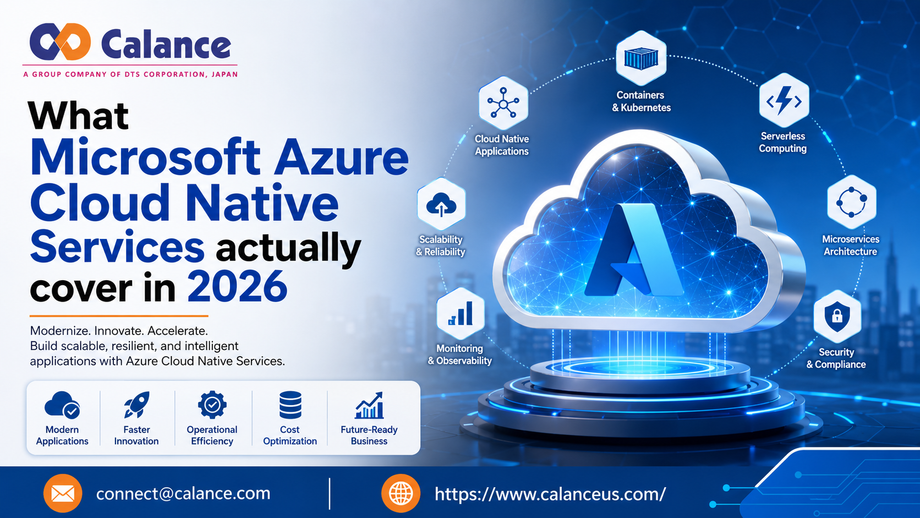
Most companies didn't plan to run 2 IT environments at once. It just happened. Microsoft 365 rolled in for email and collaboration, while the file server, the domain controllers, and the print server stayed exactly where they were: on-premises, aging, and increasingly expensive to maintain. That split is exactly what Microsoft Azure Cloud Native Services are built to close.
Calance works with organizations stuck in that in-between state every day. Here's what this kind of modernization actually includes in 2026, and why more IT leaders are treating it as the next logical step rather than a someday project.
Replacing legacy systems with Microsoft's cloud-native stack
The idea is simple: swap out the on-premises services your team has patched and babysat for years with Microsoft's managed equivalents. Active Directory gives way to Microsoft Entra ID for unified identity and access control. File servers get replaced by OneDrive and SharePoint Online, so files stay available and synced without a physical server in a closet somewhere. Print servers hand off to Universal Print, which manages printing centrally without hardware to maintain.
Each swap solves a specific problem. Entra ID means one identity system instead of a patchwork of on-prem accounts and cloud logins. OneDrive and SharePoint Online mean file access that works the same whether someone's in the office or working from home. Universal Print means IT stops babysitting print queues and driver installs across every location.
Cloud readiness and planning come first
Good cloud-native modernization work doesn't start with flipping a switch. It starts with an honest inventory: what domain controllers, file shares, and printers exist right now, and what's actually critical to daily operations. From there, a solid plan looks at security gaps, licensing, and bandwidth, then builds a migration roadmap with real timelines and dependencies mapped out.
This step matters because skipping it is how migrations go sideways. A department finds out mid-project that a critical file share wasn't on anyone's list, or a legacy app breaks because nobody accounted for how it authenticates. Planning first is what keeps modernization from becoming disruption.
Implementation and migration, one piece at a time
Once the roadmap is set, the rollout happens in stages rather than all at once. Entra ID and Domain Services get configured with single sign-on and Conditional Access. Data moves to OneDrive and SharePoint Online using Microsoft's own migration tools, so nothing gets lost in translation. Universal Print gets deployed, with connectors bridging older printers that don't support it natively. A pilot group tests the new environment before a phased go-live protects the rest of the business from downtime.
This staged approach is what separates a smooth migration from a rough one. Users keep working through the transition instead of losing access for days while systems get sorted out.
Managed operations and support after go-live
Modernization doesn't end at go-live, and ongoing Azure support shouldn't either. Ongoing work includes end-user support, incident response, and configuration management, plus policy updates and access governance as the organization changes. Monitoring runs through Azure Monitor and the Microsoft 365 Admin Center, with regular health reviews to catch small issues before they turn into outages.
This is where a lot of internal IT teams get stretched thin without a partner. Cloud-native systems still need active management. They just don't need someone physically maintaining a server rack to do it.
Security, governance, and compliance built in
Security isn't bolted on after the fact here. Conditional Access, multi-factor authentication, and identity lifecycle management are part of the setup from day one. Sensitivity labels, data loss prevention, and retention policies keep information governed properly, and audit-ready logs mean compliance reviews don't turn into a scramble.
This zero-trust approach fits how work actually happens now. Employees connect from home, client sites, and airports, not just a single office network. Identity-based security follows the user instead of relying on a perimeter that stopped being reliable years ago.
Why this shift matters for the business, not just IT
Cloud-native infrastructure isn't just a technical upgrade. It changes what a business can do. Teams gain the flexibility to work from anywhere without sacrificing security. Systems scale automatically instead of waiting on new hardware. Costs shift from unpredictable capital spending on servers to a transparent, consumption-based model. And compliance-heavy industries get built-in reporting and governance instead of assembling it themselves.
Organizations that delay this shift tend to feel it in small, compounding ways: slower provisioning, inconsistent access for remote staff, and maintenance hours that never quite go away.
Why organizations choose Calance
Calance has worked inside the Microsoft ecosystem for more than 25 years, which means the team has guided organizations through every stage of this shift, from early on-premises setups to full Azure and Microsoft 365 environments. That experience shows up in how projects run: the same team that plans a migration also configures, deploys, and supports it, so nothing gets lost in a handoff between departments.
Every organization's environment looks different, so Calance shapes each project around existing systems, timelines, and user needs rather than forcing a standard template. The result clients notice most is straightforward: faster performance, fewer maintenance tasks, stronger security, and costs that stop being a surprise every quarter.
Getting started
If your team is still splitting time between legacy on-premises systems and Microsoft's cloud tools, that gap is exactly what Microsoft Azure Cloud Native Services are meant to close. The shift doesn't have to happen all at once, and it doesn't have to disrupt daily work if it's planned well.
The bottom line
Microsoft Azure Cloud Native Services cover a lot more than a simple platform swap. It's planning, staged migration, ongoing management, and security built into every step, all aimed at giving your team infrastructure that keeps up with how work actually happens now. Calance is ready to help you get there.
For more info please contact us or send a mail [email protected] to get mote quote.
Comments
Log in or sign up to join the conversation.