
When diving into the Linux ecosystem, two names always rise to the top as the definitive starting points: Ubuntu and Fedora. Both are powerhouse operating systems utilized by millions, yet they possess completely different philosophies, package management styles, and target audiences.
Deciding which one is "better" depends entirely on what you value more: bulletproof long-term stability or bleeding-edge innovation. Let’s break down how they stack up against each other.
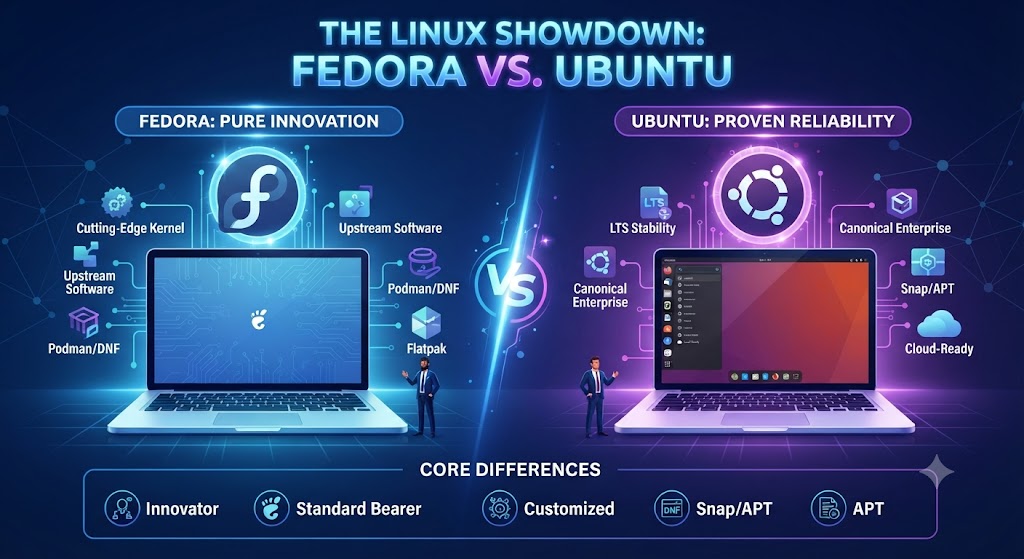
1. Philosophy and Backing Companies
Ubuntu (by Canonical): Ubuntu is built on a Debian foundation and backed by Canonical. It is designed with user comfort, massive community support, and broad enterprise compatibility in mind. Ubuntu heavily promotes its proprietary containerized package system, Snap.
Fedora (sponsored by Red Hat/IBM): Fedora acts as the upstream playground and testing ground for Red Hat Enterprise Linux (RHEL). It focuses on open-source purity, adopting modern technologies early, and providing a clean, uncompromised upstream experience. Instead of Snaps, Fedora champions Flatpaks via Flathub.
2. Release Cycles and Software Freshness
Fedora (The Leading-Edge Choice): Fedora releases a new version roughly every six months, supporting each version for about 13 months. Because of this rapid cadence, Fedora always ships with the latest Linux kernels, fresh graphic drivers, and up-to-date toolchains. It often runs slightly faster in I/O throughput due to these newer components.
Ubuntu (The Stable Long-Term Choice): Ubuntu also releases updates every six months, but its hallmark feature is the Long Term Support (LTS) release every two years. Ubuntu LTS versions receive up to 5 years of security updates and maintenance. This makes Ubuntu the undisputed king for set-and-forget production environments where stability overrides having the absolute newest software version.
3. Desktop Environment & User Interface
Both distributions utilize the GNOME desktop environment, but they handle it very differently:
Ubuntu's Customized GNOME: Ubuntu modifies GNOME heavily out of the box, adding a vertical dock on the left, custom extensions, and a distinct theme to make Windows or macOS refugees feel immediately at home.
Fedora Workstation's Vanilla GNOME: Fedora provides a 99% pure, stock GNOME experience. You get clean workflows, minimal clutter, excellent gesture controls, and zero bloatware pre-installed by corporate entities.
4. Package Management: APT vs. DNF
Ubuntu uses APT (.deb): Backed by the massive Debian ecosystem, finding software packages or online tutorials for
.debcommands is effortless.Fedora uses DNF (.rpm): Fedora's DNF package manager offers fast transaction speeds, and while its native software repository is slightly smaller than Debian/Ubuntu's, enabling RPM Fusion covers all proprietary multimedia codecs and hardware drivers smoothly.
Summary: Which One Should You Choose?
Choose Ubuntu if: You are a beginner looking for effortless hardware configuration (like out-of-the-box NVIDIA drivers), want an OS you don't have to upgrade every year, or prefer the rock-solid security of an LTS release.
Choose Fedora if: You are a developer, programmer, or tech enthusiast who wants the absolute newest software features, prefers Flatpaks over Snaps, loves a clean stock GNOME interface, and wants to stay on the bleeding edge of the open-source world.
Comments
Log in or sign up to join the conversation.