

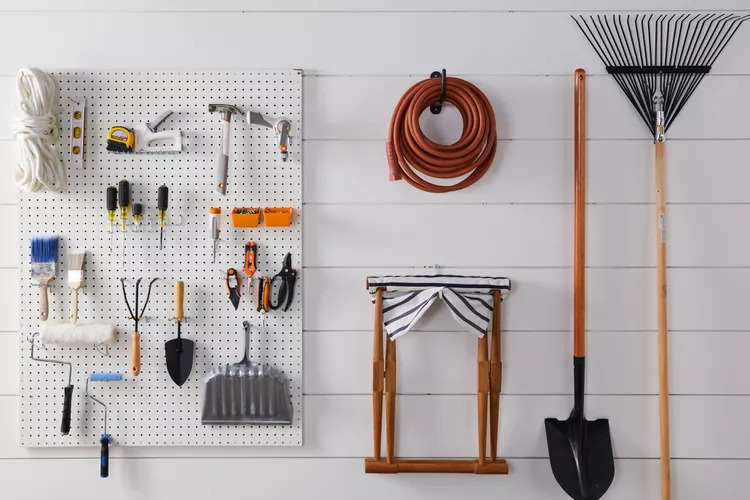
A safe workstation does not always need a complete redesign. In many warehouses, workshops, and production areas, safety improves when everyday tools are easier to reach, easier to control, and easier to return after use. When tools are placed correctly and supported properly, workers can move with more confidence and complete tasks with less strain.
Smart tool support is about making the work area more organized, comfortable, and practical. It helps reduce clutter, keeps tools from being dropped or misplaced, and supports smoother movement throughout the day. Whether a team works on assembly lines, repair benches, packaging stations, or production floors, small changes in tool setup can make a big difference.
Start With a Cleaner Tool Layout
One of the simplest ways to improve workstation safety is to look at where tools are placed. If workers have to stretch, bend, twist, or search for tools repeatedly, the workstation is not supporting them properly. Over time, these small movements can lead to fatigue, slower work, and a higher chance of mistakes.
A cleaner layout keeps the most-used tools close to the worker’s natural reach zone. This means tools should be positioned where the operator can grab them without awkward movement. Heavy or frequently used tools should not be left loose on the bench or floor. They should have a fixed place where workers can access them quickly and return them easily.
Good tool placement also improves workflow. When everything has a clear position, the workstation feels less crowded, and employees can focus more on the task instead of managing clutter.
Use Overhead Support for Repetitive Tools
Many production tasks require the same tool to be used again and again. This may include screwdrivers, drills, riveters, air tools, sanders, nail guns, and other handheld equipment. When these tools are picked up and placed down repeatedly, workers can become tired faster.
This is where overhead support becomes useful. Suspended systems help keep tools above the work area while still allowing easy access. Instead of lying on the bench, the tool stays within reach and returns to a safer position after use.
For teams that want to understand how suspended tool support works, learning about different tool support systems can help them choose a better setup for their workstations. The goal is not only to hold the tool, but to make tool handling easier, safer, and more consistent.
Keep Tools From Becoming Trip or Drop Hazards
Loose tools can create several safety problems. A tool left on the floor can become a trip hazard. A tool placed near the edge of a bench can fall and damage equipment or injure someone. Cords and hoses can also create clutter if they are not managed properly.
Using proper support keeps tools controlled when they are not in use. Workers do not need to keep setting tools down in random places. This reduces the chance of tools being dropped, misplaced, or damaged.
For lighter tools and repeated tasks, tool retractors can be useful because they help keep tools suspended and ready to return to position after use. This creates a neater workstation and helps prevent unnecessary clutter around the operator.
Reduce Strain With Better Weight Balance
Heavy tools can slow workers down, especially when they are used for long shifts. Even a tool that does not feel heavy at first can become tiring after hundreds of repeated movements. This kind of strain can affect the hands, wrists, shoulders, neck, and back.
A smart workstation should reduce the amount of force workers need to use. Tool support equipment can help by balancing the weight of the tool so the worker does not carry the full load during each task. This supports better control and can make repetitive work feel less demanding.
For heavier tools or tasks that require more precision, zero gravity balancers can help make tools feel easier to handle. When tools are balanced properly, workers can focus more on accuracy and less on fighting the tool’s weight.
Match Tool Support to the Task
Not every workstation needs the same setup. A packaging bench may need a simple retractable tool system, while an automotive or assembly workstation may need stronger support for heavier equipment. A food processing area, cleanroom, or hazardous environment may also require specific materials or safety features.
Before choosing a tool support idea, teams should ask a few simple questions:
What tools are used most often?
How heavy are those tools?
How far does the tool need to move?
Does the worker need the tool to return automatically?
Is the environment wet, dusty, clean, or high-risk?
Will the tool connect to air hoses, cables, or other equipment?
These questions help avoid poor equipment choices. A tool support system should fit the task, not create another problem for the worker.
Improve Visibility Around the Workstation
Safety also depends on visibility. Workers should be able to see tools, parts, cords, hoses, and work surfaces clearly. Poor visibility can cause delays, mistakes, and accidents.
A safer workstation uses clear zones. Tools should have assigned positions. Cords and hoses should not cross walking paths. Frequently used items should be placed in easy-to-see areas. If multiple workers share the same station, labels and visual markers can help everyone return tools to the right place.
Simple visual organization supports faster training as well. New employees can understand the workstation more easily when tools and support systems are placed logically.
Build Safety Into Daily Habits
Tool support works best when it becomes part of the daily routine. Workers should not feel like safety systems are slowing them down. The setup should make their job easier.
A good routine may include checking that tools return properly, keeping the work surface clear, inspecting cords or cables, and reporting worn parts before they become a safety issue. Supervisors can also review workstations regularly to see whether tools are still positioned correctly for the task.
Small improvements should be adjusted over time. If a worker still has to reach too far or hold a tool awkwardly, the setup may need to be changed.
Know When to Ask for Help
Some workstations are simple to improve, while others need a more specific solution. If a team is dealing with heavy tools, unusual work angles, long cable travel, or multiple operators, it may be better to get guidance before choosing equipment.
Teams can request a quote when they need help matching tool support equipment to their work area, tool weight, and daily workflow. The right setup can save time, reduce strain, and create a safer workstation from the start.
Final Thoughts
Smart tool support is not just about storing tools. It is about helping workers move better, work safer, and stay more comfortable throughout the day. When tools are supported, balanced, and placed correctly, the entire workstation becomes easier to manage.
Safer workstations often come from simple changes: less clutter, better reach, controlled tool movement, and reduced strain. These improvements may look small at first, but they can make daily work smoother, safer, and more productive for everyone on the floor.
Comments
Log in or sign up to join the conversation.