

Every business and household today runs on data, and the humble hard drive still sits at the center of that reality. Despite the rise of cloud storage and solid-state drives, a Seagate hard drive remains one of the most trusted, cost-effective ways to store, back up, and manage large volumes of data — whether you're an individual archiving family photos or a business managing surveillance footage, financial records, or media libraries. In this guide, I'll break down why Seagate continues to dominate the storage conversation, what to look for when buying, and how to match a drive to your actual use case instead of overpaying for specs you don't need.
Why Storage Choice Still Matters in 2026
It's easy to assume storage is a solved problem — just throw everything in the cloud. But cloud storage comes with recurring costs, bandwidth limitations, and dependency on third-party uptime. For anyone dealing with large files (video production, security camera archives, financial datasets, backups of entire systems), local storage is still the more economical and controllable option. This is where hard disk drives (HDDs) continue to outperform solid-state drives (SSDs) on one critical metric: cost per terabyte. If you need bulk capacity — 4TB, 8TB, or well into double-digit terabytes — an HDD from a reputable manufacturer is almost always the smarter buy.
Seagate has been in this business for over four decades, and that longevity matters. Storage is one of those categories where you're not just buying a spec sheet, you're buying reliability data. Seagate publishes its own quarterly reliability reports and has consistently maintained competitive annualized failure rates across its enterprise and consumer drive lines, which is a big part of why the brand remains a default choice for IT departments, NAS builders, and everyday consumers alike.
Types of Seagate Hard Drives and Who They're For
Not every Seagate drive is built for the same job, and this is where a lot of buyers overspend or underbuy.
Desktop/Internal Drives (Barracuda series): These are general-purpose drives meant for everyday desktop use — operating systems, applications, and moderate file storage. They're budget-friendly and a good fit if you're upgrading an older PC or building a new one and don't need extreme capacity or enterprise-grade endurance.
External/Portable Drives (Backup Plus, One Touch series): If you want plug-and-play backup without touching your PC's internals, these are the go-to option. They're popular with photographers, students, and small business owners who need a physical backup that isn't tied to a subscription.
NAS Drives (IronWolf series): Built specifically for network-attached storage systems that run 24/7. These drives are rated for continuous operation, higher workloads, and multi-bay environments, making them the right choice for home labs, small offices, or anyone running a Synology or QNAP setup.
Enterprise/Data Center Drives (Exos series): This is where Seagate's heavy-duty engineering shows up — drives built for data centers, large-scale backup systems, and surveillance storage running around the clock. Capacities here regularly exceed 16TB, and these drives are engineered for vibration resistance and sustained high-throughput workloads in multi-drive arrays.
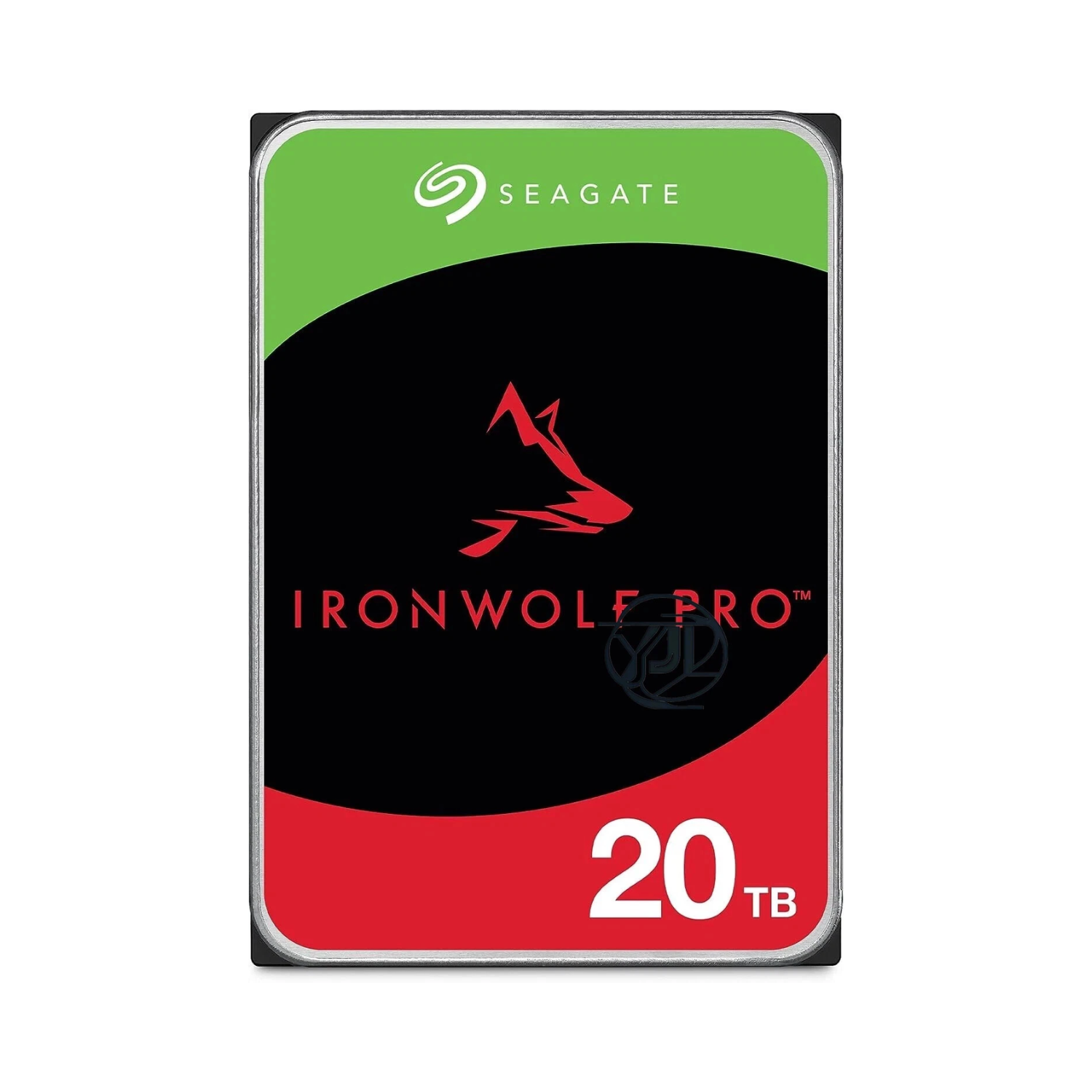
One example worth highlighting for anyone specifically shopping in the high-capacity NAS tier is the Seagate ST20000NE000, a 20TB IronWolf Pro drive built for multi-bay NAS enclosures and RAID arrays. It runs at 7200 RPM with a 256MB cache and carries a workload rating of up to 300TB/year, which puts it comfortably in the same territory as drives running continuous business or media-server workloads. For anyone who has outgrown an 8TB or 12TB setup and doesn't want to touch the array again for a few years, this is the kind of drive that buys real headroom.
What to Actually Check Before Buying
A lot of buyers focus purely on capacity and price, but a few other specs matter just as much for long-term satisfaction:
RPM (rotations per minute): 5400 RPM drives are quieter and more power-efficient, good for backup/archival use. 7200 RPM drives offer faster read/write speeds, better for active workloads like video editing or gaming libraries.
Cache size: Larger cache (256MB and up on higher-end drives) helps with faster data access, particularly useful in NAS and enterprise setups.
Interface: Most consumer drives use SATA; enterprise environments may use SAS for higher throughput and multi-server environments.
Workload rating (TB/year): This is often overlooked. NAS and enterprise drives are rated for how much data they can handle annually without excessive wear — critical if the drive will be under constant read/write load.
Warranty length: Seagate typically backs consumer drives with 2–3 years and enterprise/NAS drives with up to 5 years, which is a reasonable proxy for how confident the manufacturer is in that drive's durability under its intended workload.
Matching the Drive to the Job
If you're backing up a personal laptop, a portable external drive in the 2–5TB range is plenty. If you're running a home NAS for media streaming and family backups, an IronWolf drive in the 4–8TB range strikes a good balance of cost and reliability. For small businesses managing surveillance systems, accounting archives, or large media libraries, stepping up to Exos-class drives with higher capacities (10TB and beyond) will save you from having to swap or expand storage every year.
One mistake I see often: people buying enterprise-grade drives for light home use, or conversely, running consumer drives 24/7 in a NAS enclosure where they weren't designed to operate continuously. Matching the drive class to the actual workload isn't just about performance — it directly affects how long the drive lasts before failure.
Where This Fits Into the Bigger Storage Conversation
Storage decisions rarely happen in isolation. Whether you're setting up a home theater PC, a NAS for media hoarding, or a small business backup system, the hard drive is usually just one piece of a larger setup involving enclosures, RAID configurations, and sometimes even projectors or media players for playback. I cover a lot of this ecosystem — from storage to home theater hardware — over at Jazz Cyber Shield, where I maintain an updated, hands-on comparison of current Seagate hard drive models across capacities and use cases: Seagate Hard Drive buying guide.
Final Thoughts
The core decision with any Seagate hard drive purchase comes down to three questions: how much capacity do you actually need, how often will the drive be under load, and how critical is uptime for your use case. Get those three right, and the rest — RPM, cache, warranty — falls into place naturally. Storage isn't glamorous, but it's foundational, and getting it right the first time saves both money and headaches down the line.
Comments
Log in or sign up to join the conversation.