

Signing the lease on your first commercial office space is a major milestone. It represents growth, stability, and the transition of your business from a scrappy startup into an established operation. When you look at an empty floor plan, it is easy to get caught up in the visual elements of the build-out. You think about where the desks will go, the color of the paint on the walls, and the design of the reception area.
However, many business owners overlook the invisible foundation that keeps modern companies alive: the physical network infrastructure.
In a world where we use wireless devices every day, it is easy to assume that a couple of retail Wi-Fi routers will keep your team connected. Unfortunately, relying on a residential tech mindset in a commercial building is a recipe for dropped calls, slow speeds, and unexpected expenses. Getting your physical wiring right before your team moves in is essential to avoiding these headaches.
The Danger of the "Wi-Fi Only" Office
At home, your wireless network works perfectly fine. It handles a few laptops, a couple of smartphones, and a streaming TV without breaking a sweat. Because of this, many new tenants assume that setting up a commercial office follows the same rules. They plan to buy a high-end wireless router from a local electronics store, plug it into the wall, and call it a day.
Commercial environments do not work this way. A business environment introduces unique challenges that residential hardware simply cannot handle.
Heavy Device Density
In an office, every single employee brings multiple devices. A team of fifteen people does not mean fifteen connections; it means fifteen laptops, fifteen smartphones, several network printers, a VoIP phone system, and wireless tablets. When forty or fifty devices try to talk to a single wireless router at the same time, the network quickly becomes overloaded. This leads to slow load times, buffering screens, and dropped video calls during important client presentations.
Structural Obstacles
Commercial buildings are constructed differently than houses. They rely heavily on thick concrete walls, steel structural beams, metal air ducts, and fire-resistant insulation. These materials act as natural shields against wireless signals. If your router is located at the front reception desk, your team in the back conference room will likely struggle with a weak, inconsistent signal.
Security Concerns
Wireless signals travel through walls and out into the parking lot or neighboring offices. Even with strong passwords, wireless networks are inherently more vulnerable to outside interception than a physical, hardwired connection. If your business handles private client data, financial records, or medical information, relying solely on Wi-Fi creates an unnecessary security risk.
What Exactly is Structured Cabling?
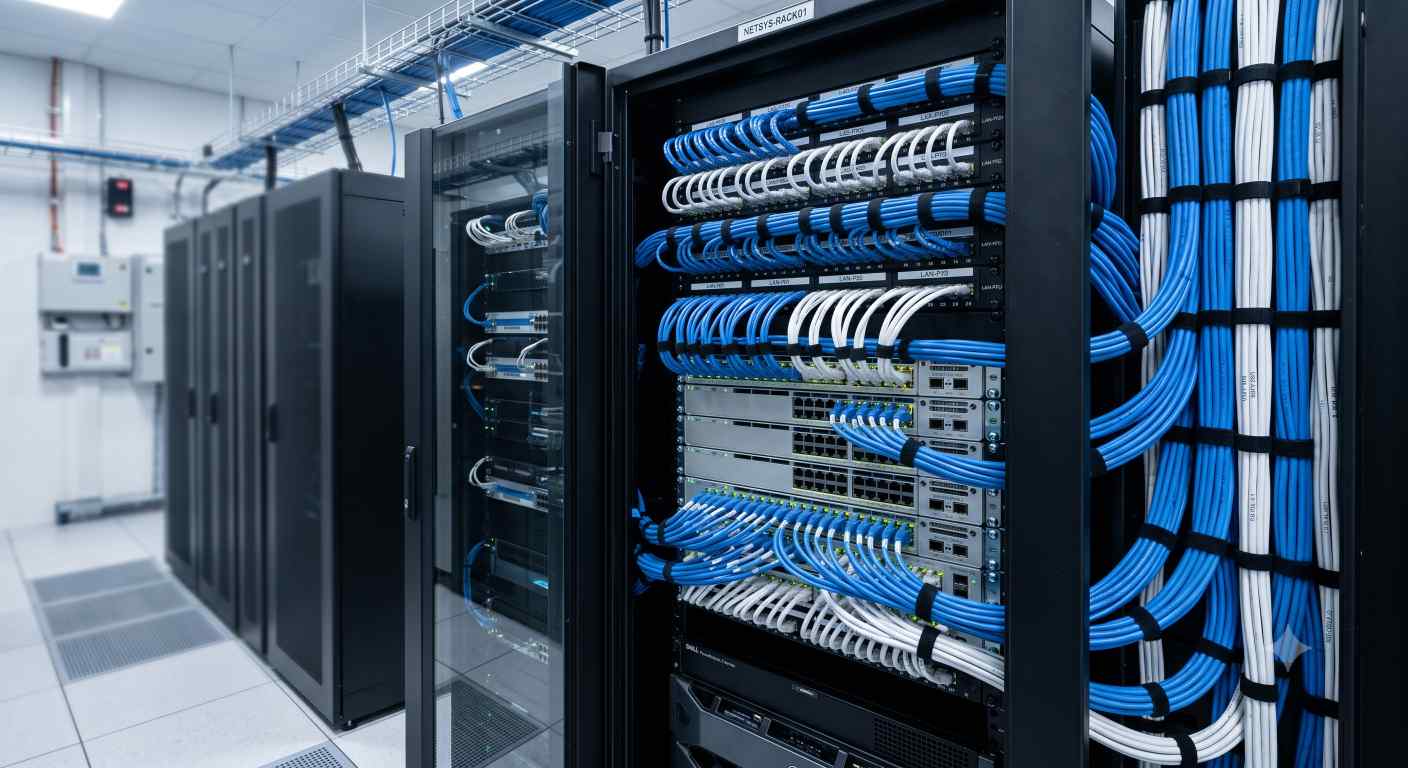
To fix these wireless limitations, commercial spaces rely on a system called structured cabling. This is an organized network of physical wires, patch panels, and data ports designed to carry high-speed data throughout a building.
Instead of running individual cords directly from a router to every computer, structured cabling creates a permanent infrastructure inside the building. All the wires run from a central location—usually a small IT closet or server room—through the walls and ceilings, ending at individual data ports on the walls or floors near employee desks.
Think of it like the plumbing system in your house. You do not run a separate hose from the city water main to every sink in your home. Instead, you have a main intake valve that splits into permanent pipes hidden inside the walls, delivering water exactly where you need it. Structured cabling does the exact same thing for your internet connection.
Timing Your Installation: The "Rough-In" Window
The biggest mistake a business owner can make with their network wiring is waiting too long to think about it. Network installation needs to be timed perfectly with the rest of your office construction or renovation.
In the construction world, projects move through distinct phases. The most critical phase for your network is known as the "rough-in" phase. This occurs after the framing studs for the walls are put up, but before the drywall is hung and painted.
During this short window, the inside of the walls is completely exposed. Installers can run hundreds of feet of network cable through the studs quickly and easily. They can place data boxes exactly where your desks will be without facing any physical obstructions.
The True Cost of Waiting
If you wait until after the walls are painted and the furniture is delivered to think about your network, your options become much more difficult and expensive:
Increased Labor Costs: Technicians will have to "fish" wires through finished walls using specialized tools. This takes three to four times longer than running wires through open studs, which drastically increases your installation bill.
Aesthetic Issues: If the walls are completely solid or inaccessible, you may have to resort to surface-mounted plastic tracks to hide the wires. This leaves ugly plastic bumps running along your brand-new baseboards.
Safety Hazards: In the worst-case scenario, businesses end up running long ethernet cords across the office carpet, taping them down to avoid tripping hazards. This looks highly unprofessional and creates a constant liability for your business.
How to Calculate Your Data Port Needs
When planning your cabling layout, you cannot simply guess how many connections you need. You have to map out every room systematically. A good rule of thumb is to look at your current team and plan for moderate growth over the next three to five years.
To help you visualize your layout, use this breakdown for a standard office setup:
Location / Room | Recommended Connections | Primary Purpose |
Standard Employee Desk | 2 Data Drops | 1 for the computer, 1 for a VoIP desk phone |
Main Conference Room | 4 Data Drops | 1 for the presentation TV, 1 for a conference phone, 2 extra for guests |
Reception / Lobby Area | 2 Data Drops | 1 for the receptionist computer, 1 for a visitor check-in tablet |
Break Room | 1-2 Data Drops | For smart TVs, breakroom computers, or digital signage |
Ceiling Areas | 1-2 Data Drops per zone | For dedicated commercial Wi-Fi Access Points (WAPs) |
Main Entryways | 1 Data Drop per door | For security cameras or key-card badge scanners |
Pro Tip: Always add an extra 15% to 20% to your total connection count. It is cheap to pull an extra wire through an open wall during construction, but it is highly expensive to hire a team to come back and run a single extra line a year from now.
Demystifying Cable Standards and Fire Codes
When you start talking to network installers, they will use a lot of technical terms. You do not need to become an IT expert, but understanding a few basic terms will help you make smart decisions for your budget.
Cat6 vs. Cat6a Cables
Ethernet cables come in different categories. The most common standards used today are Cat6 and Cat6a.
Cat6: This is the current standard for most modern offices. It can handle data speeds up to 1 Gigabit per second at a distance of up to 328 feet. For standard office work, web browsing, video calls, and cloud software, Cat6 is perfectly adequate and highly cost-effective.
Cat6a: The "a" stands for augmented. This cable can handle speeds up to 10 Gigabytes per second over longer distances. It is thicker, slightly more expensive, and harder to install. You only need Cat6a if your business handles massive files daily, such as video production houses, engineering firms, or companies running localized server data banks.
Plenum vs. Non-Plenum Rated Cables
This is not a speed choice; it is a fire safety choice. The area above a standard drop ceiling is often used by the HVAC system to circulate air throughout the building. This area is called the plenum space.
Standard PVC network cables release toxic smoke if they catch fire. If that smoke gets into the plenum space, the building's air system will quickly pump those dangerous fumes into every room. Because of this, local fire codes strictly require you to use Plenum-Rated Cables (CMP) anywhere wires run through air-handling spaces. These cables are wrapped in a special fire-retardant plastic that produces very little smoke.
The Three-Way Communication Trap
The final hurdle in setting up your first office is managing the logistics between different service providers. A common disaster scenario unfolds like this: The business owner assumes the internet service provider (ISP) handles everything. They call AT&T or Spectrum, schedule an installation for move-in day, and expect to start working.
When the ISP technician arrives, they bring the internet line from the street into the building's main utility room (the MPOE). They connect their modem, hand the business owner a router, and leave. They do not run wires through your walls, they do not hook up your desks, and they do not mount your wireless access points.
To avoid a delayed launch, you must coordinate three separate groups:
The ISP: To bring the raw internet feed to the building.
The General Contractor: To make sure the walls are open and ready for low-voltage work.
The Low-Voltage Cabling Team: To run the wires from the ISP’s entry point directly to your office desks.
Set Your Business Up for Success
Managing a commercial build-out involves a steep learning curve. Between lease agreements, local permits, and contractor schedules, it is easy to feel overwhelmed. However, taking the time to address your network infrastructure early prevents costly remodeling fees, protects your data, and keeps your employees productive.
If you are currently navigating this process in the North Texas area, you do not have to guess at the timelines or requirements. For a complete, step-by-step roadmap on how to coordinate with landlords, calculate budgets, and prepare your new workspace safely, check out this comprehensive guide on planning your first office cabling installation in DFW.
By taking control of your physical network today, you can make sure that when move-in day arrives, your team can simply plug in their computers and focus on growing your business.
Comments
Log in or sign up to join the conversation.