

A modern point-of-sale system does much more than process payments. For businesses in retail, restaurants, hospitality, healthcare, and other industries, POS software has become a central system for managing sales, inventory, customers, employees, and day-to-day operations.
As businesses become more dependent on real-time data and connected operations, choosing between an off-the-shelf POS solution and custom development has become an important decision. A customized system can be designed around the way your business actually works instead of forcing your team to adapt to features they may never use.
But building POS software also requires careful planning. The total investment depends on the features you need, supported devices, integrations, security requirements, development team, and long-term maintenance.
This guide explains how to build POS software for your business, what it can cost, which features matter, and what to consider before working with a POS Software Development Company.
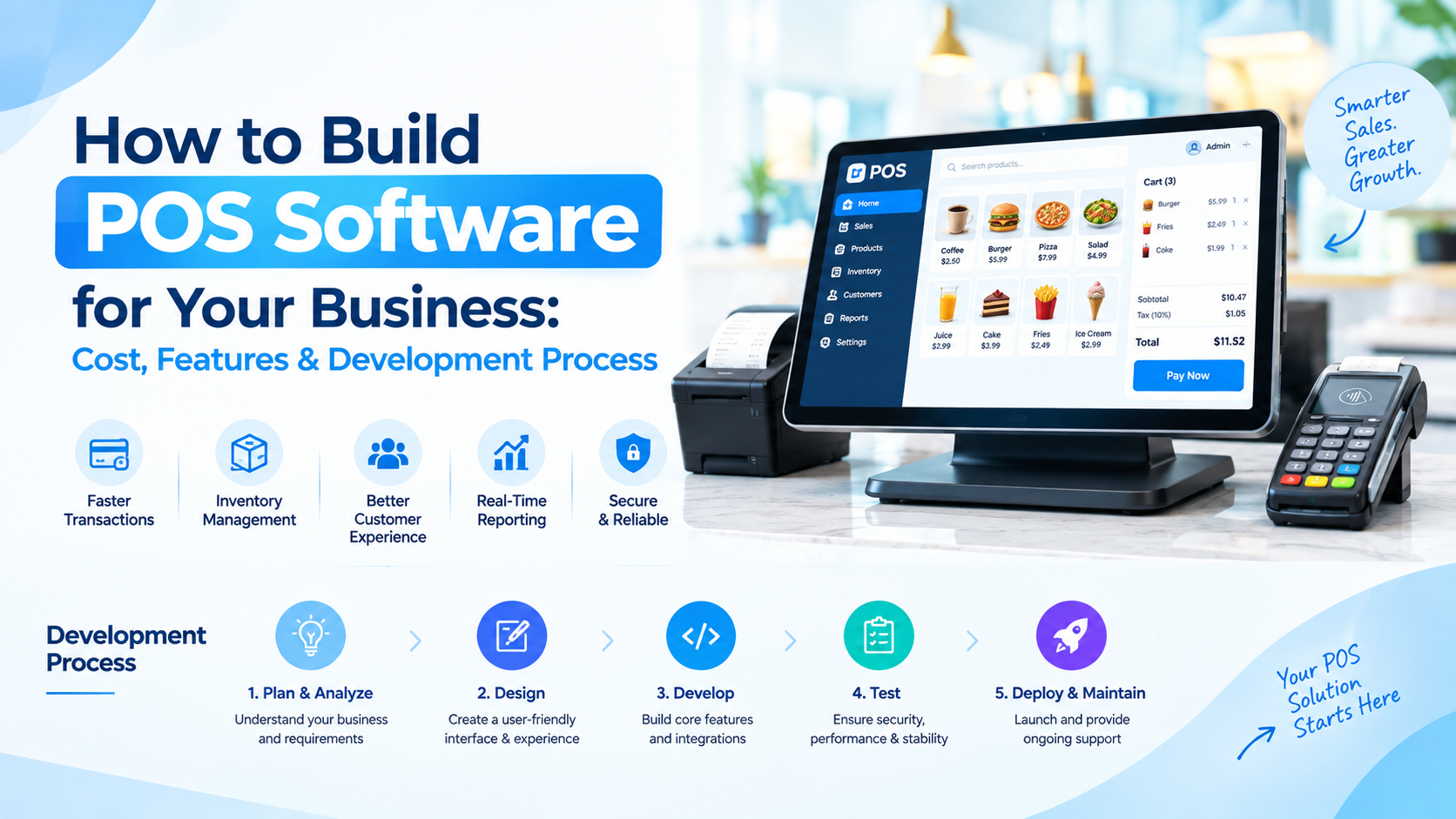
What Is POS Software?
POS software is a digital system that helps businesses manage transactions and other activities associated with selling products or services.
A basic POS system may handle billing and payments, while a more advanced platform can connect sales with inventory, customer management, employee tracking, reporting, accounting, and multiple business locations.
For businesses with specific workflows, working with a Software Development Company can make it possible to create a POS platform around their operational requirements rather than relying entirely on a generic solution.
How Much Does It Cost to Build POS Software?
The cost of developing POS software can vary significantly depending on the scope and complexity of the project.
A basic POS application may cost around $20,000–$40,000, while a mid-level solution with inventory, reporting, customer management, integrations, and multiple user roles can range from $40,000–$80,000.
A more advanced enterprise-grade POS platform with multi-location support, complex integrations, advanced analytics, custom hardware connectivity, and extensive security requirements can exceed $80,000–$150,000+.
These are broad development estimates rather than fixed prices. The actual budget depends on your product requirements, development location, technology stack, integrations, UI/UX requirements, and ongoing support.
Estimated POS Software Development Cost
POS Software Type | Approximate Development Cost |
|---|---|
Basic POS System | $20,000–$40,000 |
Mid-Level POS Platform | $40,000–$80,000 |
Advanced POS Solution | $80,000–$150,000+ |
Enterprise POS Ecosystem | $150,000+ |
The best way to establish a realistic budget is to define the features and integrations before development begins.
What Factors Affect POS Software Development Cost?
Several factors influence how much you will ultimately spend on building a POS platform.
1. Features and Functionality
The number and complexity of features have a direct impact on development time and cost.
A system that only processes transactions is considerably simpler than a platform that manages inventory, employees, loyalty programs, analytics, multiple stores, and third-party integrations.
Before approaching a POS Software Development Company, separate your requirements into essential features and future enhancements. This can help you launch an initial version without unnecessarily increasing the first development budget.
2. Number of Platforms
Your POS software may need to work across multiple environments, including:
Desktop systems
Tablets
Smartphones
Web browsers
POS terminals
Self-service kiosks
Supporting additional platforms generally requires more development and testing, which can increase the overall cost.
3. UI/UX Design
A POS system is used repeatedly throughout the working day, so its interface needs to be fast and easy to navigate.
Cashiers, managers, administrators, and other users may have different workflows. Creating role-specific screens and simplifying common actions can require additional design and usability testing.
4. Third-Party Integrations
Integrations can become one of the more significant cost factors in POS development.
Depending on your business, you may need to connect the platform with:
Payment gateways
Accounting software
E-commerce platforms
Inventory systems
CRM platforms
Tax systems
Shipping providers
Loyalty platforms
Barcode scanners
Receipt printers
Cash drawers
Each integration comes with its own API requirements, testing needs, and maintenance considerations.
5. Security Requirements
A POS platform can process commercially sensitive information and payment-related data, making security an important part of development.
Your development plan may need to include secure authentication, role-based access, encryption, audit logs, secure APIs, data protection, and appropriate payment-security practices.
The exact requirements depend on your business model, geography, payment setup, and the type of information your system handles.
6. Offline Functionality
Businesses cannot always depend on a continuous internet connection.
For restaurants, retail stores, or other physical locations, offline functionality can allow certain POS operations to continue during temporary connectivity problems.
Building reliable offline capabilities requires additional architecture, local data handling, synchronization, and testing, which can increase development costs.
Essential Features to Include in POS Software
The features you need will depend on your industry and business model, but a modern POS platform commonly includes the following.
Product and Inventory Management
The system should allow businesses to add products, manage stock levels, update prices, track product movement, and receive low-stock alerts.
For businesses with multiple locations, centralized inventory visibility can also help teams understand where products are available.
Billing and Checkout
A smooth checkout experience is at the heart of any POS platform.
The system should support product selection, discounts, taxes, refunds, receipts, and multiple payment methods based on the business requirements.
Payment Integration
Customers increasingly expect flexible payment options.
A POS platform can integrate with supported card terminals, digital payment services, wallets, and other payment providers. The exact integrations depend on the market and payment infrastructure being used.
Customer Management
Customer profiles can help businesses understand purchasing patterns and provide more personalized experiences.
A POS system can store relevant customer information, purchase history, preferences, loyalty activity, and other data where appropriate and legally permitted.
Employee Management
Businesses can use POS software to manage employee accounts and permissions.
Useful functionality can include:
Employee profiles
Role-based access
Shift management
Attendance tracking
Sales performance
Permission controls
This can help administrators control who can access sensitive POS functions.
Sales Reports and Analytics
Reporting allows business owners and managers to understand what is happening across their operations.
Useful reports may cover:
Daily and monthly sales
Best-selling products
Inventory movement
Payment methods
Discounts
Returns
Employee performance
Store performance
Advanced systems can also provide dashboards and analytics for faster decision-making.
Multi-Store Management
If your business operates multiple branches, managing every location separately can become difficult.
A centralized POS platform can provide administrators with visibility into sales, inventory, employees, and other operational information across different locations.
Receipt Management
A POS system should support digital and physical receipts according to customer and business requirements.
Businesses can also consider email or SMS receipt functionality where appropriate.
Industry-Specific POS Software
POS software does not have to follow a one-size-fits-all model.
Retail POS
Retail businesses may need inventory tracking, barcode scanning, product variants, promotions, customer profiles, and loyalty functionality.
Restaurant POS
Restaurant systems often require table management, menu management, kitchen order workflows, split billing, modifiers, and integration with kitchen displays or printers.
Grocery POS
Grocery businesses may require barcode scanning, inventory synchronization, product weighing, discounts, promotions, and high-volume transaction processing.
Hospitality POS
Hotels and hospitality businesses may need POS functionality connected with reservations, room services, restaurants, billing, and customer records.
Healthcare POS
Healthcare businesses can require specialized billing workflows and integrations with other healthcare systems, depending on the use case and applicable requirements.
The more specialized the workflow, the more important it becomes to define industry-specific requirements before development begins.
POS Software Development Process
Building a POS system usually involves several stages rather than simply writing the software.
Step 1: Define Business Requirements
Start by identifying what you want the POS system to accomplish.
Document your users, business processes, payment methods, inventory requirements, locations, integrations, reporting needs, and security requirements.
This gives the development team a clear foundation for estimating scope and cost.
Step 2: Choose the Core Features
Not every feature needs to be included in the first release.
Prioritize the functionality that directly supports your business operations. You can then add advanced capabilities in future versions based on user feedback and business growth.
Step 3: Design the User Experience
The interface should make frequent tasks quick and straightforward.
Your design team should create user flows and interfaces for different roles, such as cashiers, managers, administrators, and business owners.
Step 4: Select the Technology Stack
The technology stack depends on the platforms, integrations, performance requirements, and architecture of your POS system.
Your Software Development Company can help determine the appropriate frontend, backend, database, APIs, cloud infrastructure, and device-support technologies.
Step 5: Develop the POS Platform
Development typically covers the frontend interface, backend services, database, APIs, authentication, integrations, and business logic.
For larger POS systems, development may be divided into modules so different components can be built and tested efficiently.
Step 6: Test the System
Testing is particularly important for POS software because transaction failures can directly affect business operations.
Testing may cover:
Functional testing
Payment testing
Security testing
Performance testing
Device compatibility
API testing
Offline functionality
User acceptance testing
Step 7: Launch and Monitor
Once testing is complete, the system can be deployed to the required environments and connected with the necessary hardware or third-party services.
After launch, monitoring helps identify technical issues and areas where the system can be improved.
How Long Does It Take to Build POS Software?
The development timeline depends on the scope of the platform.
A basic POS system may take around 3–5 months, while a mid-level platform can require 5–8 months. More advanced or enterprise POS ecosystems may take 8–12 months or longer.
The timeline can change depending on:
Number of platforms
Feature complexity
Third-party integrations
Custom hardware requirements
Security requirements
Number of developers
Testing requirements
Business feedback cycles
Trying to reduce development time by skipping important planning or testing can create additional costs later.
How to Choose a POS Software Development Company
The development partner you choose can have a significant impact on the final product.
Before hiring a POS Software Development Company, consider:
Relevant Experience
Look for a team that understands POS workflows and has experience with transaction processing, inventory, payments, integrations, or similar business systems.
Technical Capabilities
Check whether the company can handle the complete development lifecycle, including UI/UX, backend development, APIs, testing, deployment, and maintenance.
Integration Experience
If your POS needs payment gateways, accounting systems, e-commerce platforms, or hardware integrations, make sure the development team has experience working with similar technologies.
Security Approach
Ask how the company approaches authentication, authorization, encryption, data protection, secure APIs, and payment-related requirements.
Post-Launch Support
POS software requires ongoing maintenance because operating systems, APIs, payment services, devices, and business requirements change over time.
Ask what support, updates, monitoring, and maintenance services are included after launch.
Custom POS Software vs. Ready-Made Solutions
A ready-made POS platform can be useful when your business can operate within its existing features and workflows.
Custom POS software makes more sense when your business needs specialized functionality, unique integrations, specific reporting, multiple locations, or greater control over the product experience.
The decision should ultimately come down to your business requirements, budget, operational complexity, and long-term plans.
How to Reduce POS Software Development Costs
Building a POS platform does not necessarily mean developing every possible feature from the beginning.
A few practical approaches can help control the initial investment:
Start with an MVP containing essential functionality
Prioritize features based on business value
Use proven technologies where appropriate
Reuse reliable third-party services instead of rebuilding everything
Plan integrations before development starts
Design for scalability from the beginning
Test critical transaction workflows early
Establish a realistic development timeline
The goal should not simply be to make development cheaper. It should be to spend the budget on the functionality that has the greatest practical value for your business.
Final Thoughts
Building POS software can give businesses greater control over sales, inventory, customer data, reporting, and daily operations. But the investment depends heavily on what you want the platform to accomplish.
A basic POS system may require a relatively focused development effort, while a feature-rich, multi-location platform with payment integrations, analytics, hardware connectivity, and advanced security can require a much larger budget.
Before hiring a POS Software Development Company, define your core requirements, identify the integrations you need, decide which features belong in the first release, and plan for ongoing maintenance.
With the right scope and development strategy, a custom POS solution
can become more than a billing tool—it can serve as a central platform for managing and growing your business.
Comments
Log in or sign up to join the conversation.