
If you are a TSA PreCheck® member and have an upcoming EGYPTAIR flight, you may want to add your Known Traveler Number (KTN) to your reservation before traveling. Adding your KTN correctly can help ensure that the TSA PreCheck indicator appears on your boarding pass when you are eligible for expedited screening.
TSA states that travelers must add their KTN to an airline reservation and make sure their name and date of birth match the information used during enrollment. A TSA PreCheck card is not used to enter the security lane; the PreCheck indicator needs to appear on the boarding pass.
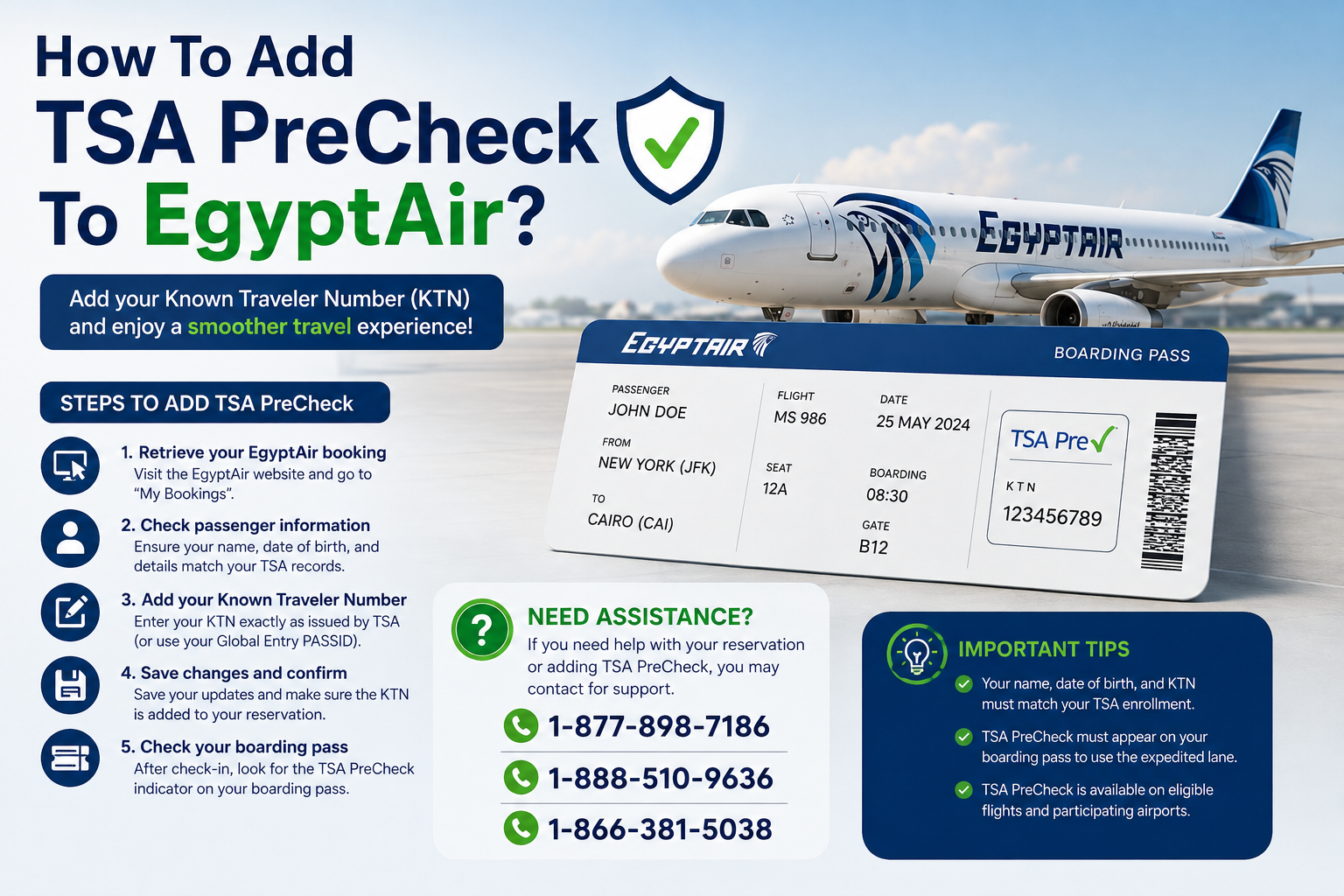
What Is TSA PreCheck?
TSA PreCheck is a U.S. expedited airport security screening program. Eligible travelers can generally use dedicated security lanes and may avoid removing shoes, belts, light jackets, laptops, and compliant liquids from their bags.
The program is available at hundreds of airports and participating airlines. If you already have TSA PreCheck, Global Entry, NEXUS, or SENTRI, you may have a KTN or PASSID that can be used for TSA PreCheck eligibility.
It is important to remember that simply having TSA PreCheck membership does not automatically place the TSA PreCheck designation on every boarding pass. Your KTN must be associated with the reservation, and the information in the reservation must match your TSA enrollment records.
How To Add TSA PreCheck To an EGYPTAIR Reservation
The easiest approach is to retrieve your EGYPTAIR booking and check whether your traveler information can be updated online.
Step 1: Find Your EGYPTAIR Booking
Go to the EGYPTAIR website and use the My Bookings section. EGYPTAIR allows passengers to retrieve reservations using their booking reference and last name. The airline says its online booking-management system can be used to update certain passenger details and manage travel information.
Have your confirmation number or PNR available before starting.
Step 2: Check Your Passenger Information
After opening the reservation, review your name, date of birth, and other traveler information.
This step is particularly important because TSA requires the information submitted to the airline to match the information provided during TSA enrollment. Even a difference in the name or date of birth can prevent the TSA PreCheck indicator from appearing on your boarding pass.
Step 3: Add Your Known Traveler Number
Look for a section related to passenger information, security information, or a Known Traveler Number.
Enter your KTN exactly as issued by TSA. If you have Global Entry, NEXUS, or SENTRI, your PASSID can serve as your KTN.
Do not enter your TSA application number, passport number, airline frequent-flyer number, or another identification number unless the airline specifically requests it.
Step 4: Save the Changes
After entering your KTN, save or submit the updated reservation. Then review the booking again to confirm that the information has been stored correctly.
If the KTN field is not available through your online reservation, contact EGYPTAIR or request assistance at the airport. TSA also confirms that travelers can contact their airline to add a KTN to an existing reservation.
Step 5: Check Your Boarding Pass
Adding your KTN to the reservation is only part of the process. When you check in, look at your boarding pass for the TSA PreCheck indicator.
EGYPTAIR provides online check-in for eligible flights beginning 48 hours before departure and generally ending 90 minutes before the scheduled departure time.
If you add your KTN after checking in, obtain an updated boarding pass if necessary.
What If TSA PreCheck Does Not Appear?
There are several possible reasons why the TSA PreCheck designation may not appear.
First, check that your full legal name matches your TSA enrollment information. Next, verify your date of birth and KTN. A single incorrect character can cause a mismatch.
You should also confirm that your flight and traveler information are correct. TSA explains that the KTN must be included in the appropriate field of the airline reservation, and the TSA PreCheck indicator must appear on the boarding pass to use the dedicated lane.
If you need help with your reservation, you may see travel websites or online articles listing phone numbers such as 1-877-898-7186, 1-888-510-9636, or 1-866-381-5038. Before calling any number found online, verify that it belongs to the airline or an authorized service provider. These numbers should not be assumed to be official EGYPTAIR or TSA telephone numbers without independent verification.
For the most reliable assistance, use the contact information published directly by EGYPTAIR or TSA rather than relying on an unfamiliar third-party number.
Does TSA PreCheck Work on EGYPTAIR Flights?
Eligibility depends on the airline, itinerary, airport, and TSA's current requirements. TSA PreCheck benefits are designed for eligible travelers flying through participating airports and airlines.
Therefore, having a KTN does not guarantee that every EGYPTAIR flight will display TSA PreCheck. Travelers should check their boarding pass before proceeding to security.
This distinction is especially important for international trips. You may be eligible for TSA PreCheck when departing from a U.S. airport, while other security or immigration procedures still apply when arriving in or connecting through another country.
EGYPTAIR International Travel Information
When traveling internationally on EGYPTAIR, remember that TSA PreCheck does not replace passport, visa, immigration, or other travel-document requirements.
EGYPTAIR states that passengers traveling to destinations requiring Advance Passenger Information may need to provide passport number, country of issue, citizenship, date of birth, sex, passport expiration date, and the name shown on the passport. The airline warns that passengers who fail to provide required information may be denied boarding.
Therefore, make sure your passport information and TSA information are both accurate before your trip.
When Should You Add Your KTN?
The best time to add your KTN is as soon as you book your flight or as soon as you receive TSA PreCheck approval.
If you are newly approved, TSA says most applicants receive their KTN within several days, although some applications can take longer.
Adding the number early gives you time to verify that it has been attached to your reservation. Do not wait until you are already at the security checkpoint if you can avoid it.
Frequently Asked Questions
Can I add TSA PreCheck after booking my EGYPTAIR flight?
Yes. TSA says travelers can contact their airline to add a KTN to an existing reservation.
Do I need a TSA PreCheck card?
No. TSA does not issue a card for accessing the TSA PreCheck lane. Your KTN must be associated with your airline reservation, and the TSA PreCheck indicator must appear on your boarding pass.
What if my name does not match?
Correct the information before traveling. Your name, date of birth, and KTN should match your TSA enrollment information.
Can I use my Global Entry number?
Yes. For Global Entry, NEXUS, and SENTRI members, the PASSID is used as the KTN when making airline reservations.
What should I do if TSA PreCheck is missing from my boarding pass?
First, verify your KTN and personal information. If everything is correct but the indicator is still missing, contact EGYPTAIR or TSA for assistance before relying on TSA PreCheck at the airport.
Final Thoughts
Adding TSA PreCheck to an EGYPTAIR reservation is primarily about making sure your KTN is correctly connected to your booking. Start by retrieving your reservation, reviewing your passenger information, entering your KTN in the appropriate field, and checking your boarding pass after check-in.
Most importantly, remember that TSA PreCheck eligibility is not guaranteed simply because you have a KTN. The reservation information must match your TSA records and the TSA PreCheck indicator must appear on your boarding pass.
For accurate assistance, rely on official EGYPTAIR and TSA resources when verifying contact information and travel requirements. This is especially important when encountering phone numbers such as 1-877-898-7186, 1-888-510-9636, and 1-866-381-5038 online, because travelers should verify the source before providing booking, passport, or payment information.
Comments
Log in or sign up to join the conversation.