
Staying connected while sailing is an important part of modern travel. Whether you want to check in with family, coordinate plans with fellow travelers, or keep up with work, Azamara offers several convenient ways to communicate throughout your voyage. Understanding the available communication options before boarding helps you plan ahead and avoid surprises.
From Wi-Fi packages to mobile phone access and onboard communication services, passengers have multiple ways to stay in touch. While connectivity at sea differs from what you experience on land, Azamara provides reliable solutions designed to meet the needs of leisure and business travelers alike.
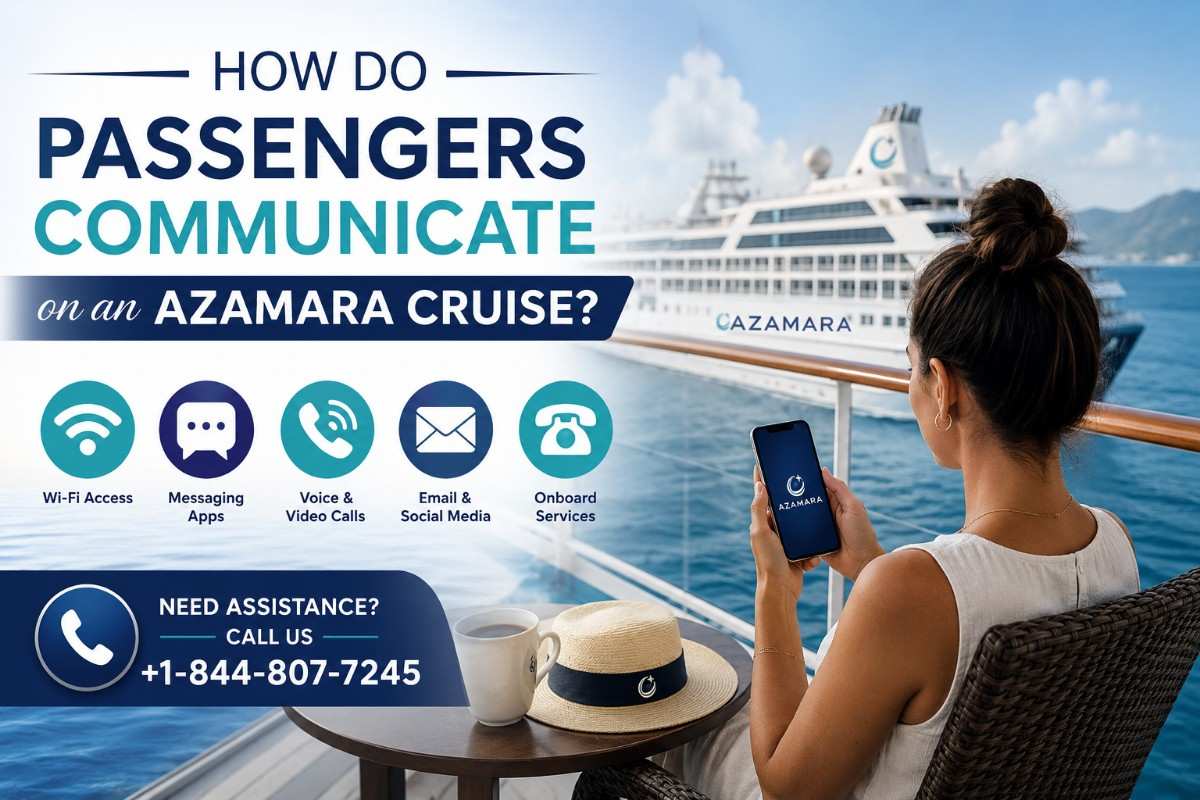
Internet Access on Azamara Cruises
The primary way passengers communicate during an Azamara voyage is through the ship's internet service. Wi-Fi is available throughout most public spaces and guest accommodations, allowing travelers to connect smartphones, tablets, and laptops.
Internet access can be purchased in different packages depending on your usage needs. Guests who simply want to check emails may choose a smaller plan, while those planning video calls or frequent browsing may prefer larger data packages.
The quality of the connection depends on the ship's location. While sailing in open waters, internet speeds may be slower than what passengers are accustomed to on land. However, connectivity generally improves when the vessel is closer to coastal regions.
Can You Use Messaging Apps?
Yes. Once connected to the ship's Wi-Fi, passengers can use popular messaging applications such as WhatsApp, Messenger, Telegram, Signal, and similar services.
These apps allow guests to:
Send text messages
Share photos
Make voice calls (depending on internet quality)
Participate in group chats
Share travel updates with family and friends
Voice and video calls may occasionally experience delays because satellite internet operates differently from traditional broadband connections.
Using Your Mobile Phone at Sea
Passengers can often continue using their mobile phones while onboard through international roaming services. However, this depends on both your mobile carrier and the ship's cellular network.
Before relying on mobile service, it's important to:
Check international roaming charges with your provider.
Verify whether maritime cellular coverage is included.
Understand data rates before enabling mobile data.
Without proper planning, roaming fees can become expensive. Many travelers prefer purchasing the ship's Wi-Fi instead of using cellular roaming.
Communicating with Family Back Home
Many passengers like to update family members throughout their vacation. The easiest methods include:
Email
Instant messaging apps
Internet voice calls
Video calls when bandwidth allows
Because internet performance varies during the voyage, sending messages often works more reliably than lengthy video conversations.
Many guests choose to establish a daily check-in time with loved ones before departure to make communication easier.
Staying Connected with Fellow Travelers
Communication isn't only about contacting people back home. Many passengers travel with friends or extended family occupying different cabins.
Common ways to stay connected include:
Messaging apps over Wi-Fi
Daily meeting schedules
Printed cruise planners
Cabin telephones
If everyone purchases internet access, messaging apps become one of the easiest ways to coordinate activities throughout the day.
Cabin Telephones
Every stateroom includes a cabin telephone that allows passengers to communicate with various onboard departments.
Guests can typically contact:
Guest Services
Housekeeping
Room Service
Reception
Other cabins
This internal communication system is convenient for arranging plans with companions staying elsewhere on the ship without requiring internet access.
Announcements and Daily Information
Azamara also keeps passengers informed through onboard announcements and printed daily schedules.
These include updates regarding:
Shore excursions
Dining hours
Entertainment schedules
Weather conditions
Port arrival times
Safety information
Activity reminders
Guests should review the daily program each evening to stay informed about the following day's events.
Email Communication
Email remains one of the most dependable communication methods onboard.
Business travelers frequently use email to:
Respond to clients
Send documents
Monitor projects
Coordinate meetings
Leisure travelers often use email to:
Share vacation photos
Update family
Confirm future travel arrangements
Receive important notifications
Downloading large attachments may take longer depending on internet conditions.
Social Media Access
Most passengers enjoy sharing cruise memories online during their trip.
Using the onboard internet, guests can typically access:
Facebook
Instagram
X (formerly Twitter)
LinkedIn
Pinterest
Uploading high-resolution videos may require additional time because satellite internet has bandwidth limitations.
Many travelers choose to upload larger files after returning to shore.
Video Calling During the Cruise
Video calling is available when internet conditions support sufficient bandwidth.
Applications commonly used include:
FaceTime
Zoom
Google Meet
Microsoft Teams
WhatsApp Video
For the best experience:
Choose quieter hours.
Use headphones.
Keep calls brief.
Lower video resolution if necessary.
This improves call quality while reducing data consumption.
Emergency Communication
If family members need to reach a passenger during an emergency, they can contact the cruise line using official emergency contact procedures.
Likewise, passengers needing urgent assistance can visit Guest Services, where staff members are available to help facilitate important communications when necessary.
Keeping emergency contact information available before departure provides added peace of mind.
Communication While Visiting Ports
One advantage of Azamara's destination-focused itineraries is the opportunity to reconnect using local networks while in port.
Many travelers take advantage of:
Free café Wi-Fi
Hotel internet
Local SIM cards
International mobile roaming
Public Wi-Fi hotspots
Internet speeds ashore are often faster than satellite connections onboard.
Tips for Better Connectivity
To make communication easier throughout your voyage:
Purchase an internet package before sailing if discounts are available.
Download important documents before boarding.
Inform family that responses may occasionally be delayed.
Disable automatic cloud backups.
Turn off unnecessary app updates.
Use messaging apps instead of large video uploads.
Connect during less busy hours for improved performance.
These simple steps help maximize your available internet usage.
Preparing Before Your Cruise
Planning ahead makes communication much smoother.
Before boarding:
Save important phone numbers.
Download messaging applications.
Update software.
Inform your mobile provider of international travel.
Check roaming rates.
Share your itinerary with family members.
Preparation reduces stress once your cruise begins.
Enjoying the Balance Between Connectivity and Relaxation
One of the greatest benefits of cruising is the opportunity to disconnect from everyday distractions. While Azamara provides modern communication options, many guests intentionally reduce screen time and focus on exploring destinations, enjoying onboard entertainment, and spending quality time with companions.
Whether you choose to remain fully connected or check messages only occasionally, the ship offers enough flexibility to support your preferred travel style.
For more cruise travel tips, destination guides, and planning resources, visit portjourney.com.
Frequently Asked Questions
Can I use Wi-Fi throughout an Azamara cruise?
Yes. Wi-Fi is available across most areas of the ship, including guest staterooms and public spaces, although speeds may vary depending on location and satellite coverage.
Can I make phone calls from an Azamara ship?
Yes. Passengers may use internet-based calling apps through Wi-Fi or mobile roaming services if supported by their carrier. For booking-related questions, you may also contact support at +1-844-807-7245.
Does Azamara offer free messaging?
Messaging apps can be used once connected to the ship's internet service. Internet access may require purchasing an appropriate package.
Can I work remotely during an Azamara cruise?
Many travelers successfully handle emails, online meetings, and light business tasks while onboard. However, satellite internet may not always support intensive work requiring consistently high speeds.
Is internet available while the ship is at sea?
Yes. Internet remains available throughout the voyage using satellite connectivity, though performance may differ between open ocean and coastal areas.
Comments
Log in or sign up to join the conversation.