
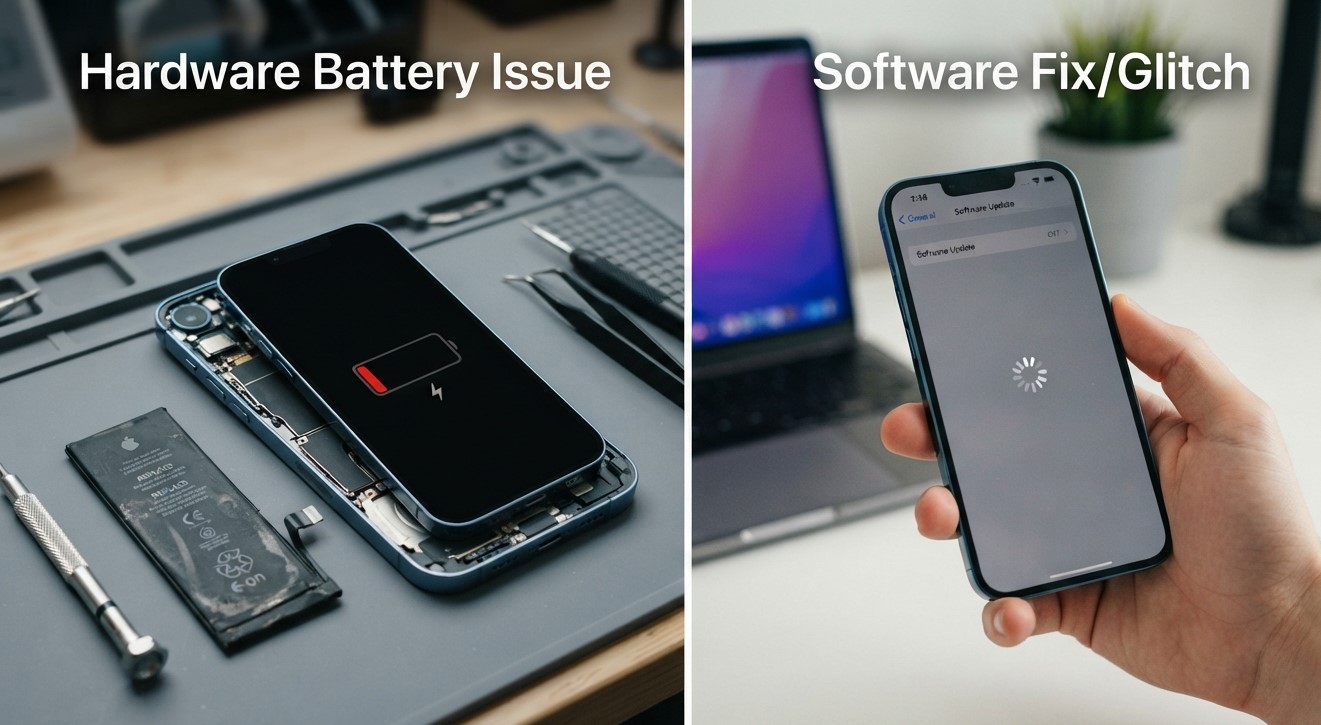
Is your iPhone draining quickly, shutting down unexpectedly, charging slowly, or becoming unusually warm? These symptoms can make it difficult to know whether the problem is caused by an aging battery or a software issue. In some cases, a battery replacement is the right solution. In others, changing a setting, updating iOS, or fixing a problematic app may solve the problem without replacing any hardware.
For people searching for cell phone repair brooklyn ny, understanding the difference between battery-related problems and software issues can help prevent unnecessary repairs. At Avenue D Cellular, customers looking for iphone repair brooklyn can have battery and performance issues evaluated to determine what may actually be causing the problem.
Your iPhone includes built-in battery tools that can help you investigate the issue. Apple provides information about battery health, app activity, background activity, cellular coverage, and other factors that affect battery life.
Table of Contents
Battery Problem vs. Software Problem
Signs Your iPhone May Need a New Battery
Signs the Problem May Be Software-Related
How to Check Your iPhone Battery Health
How to Check Which Apps Are Draining Your Battery
Can an iOS Update Cause Battery Drain?
Unexpected Shutdowns and Battery Problems
Software Fixes You Can Try
When a Battery Replacement May Be Necessary
When to Get Professional iPhone Repair
How to Protect Your iPhone Battery
Frequently Asked Questions
Call to Action
Battery Problem vs. Software Problem
Before replacing your iPhone battery, it is useful to understand the difference between hardware and software problems.
A battery problem usually occurs because the physical battery has aged, lost capacity, or developed a fault. Rechargeable lithium-ion batteries naturally become less effective as they chemically age. As this happens, they may hold less charge and provide less peak performance.
A software problem can cause similar symptoms without the battery itself being defective. For example, an app may use excessive background activity, your iPhone may be working in a weak cellular signal area, or an update may temporarily perform background tasks that consume additional power.
This is why checking your iPhone's battery information before paying for a replacement can be helpful.
Signs Your iPhone May Need a New Battery
Certain symptoms point more strongly toward battery degradation.
1. Battery Health Shows a Service Recommendation
One of the first things to check is your battery health.
On supported iPhones, go to:
Settings → Battery → Battery Health
On iPhone 14 and earlier, you may see Battery Health & Charging. On iPhone 15 and later, the section is labeled Battery Health.
If your iPhone displays Service next to Battery Health, Apple recommends considering battery replacement to restore full performance and capacity.
2. Your Battery Drains Quickly Even With Light Use
If your iPhone used to last most of the day but now requires frequent charging despite similar usage, battery aging could be a factor.
However, fast drain does not automatically mean the battery needs replacement. Check the Battery section to see whether a particular app, background process, or poor cellular connection is consuming the power.
3. Unexpected Shutdowns
An aging battery can have difficulty supplying the power needed during demanding tasks.
As batteries chemically age, their ability to deliver peak power can decrease. Apple explains that its iPhone performance-management system can adjust device behavior to help reduce the effects of battery aging.
Repeated unexpected shutdowns, especially when the battery is already low, are worth investigating.
4. Battery Life Has Declined Significantly
If you need to charge your iPhone much more frequently than you used to, the physical battery may have lost substantial capacity.
Battery lifespan varies depending on factors such as temperature history, charging patterns, and usage.
5. Your iPhone Has an Older, Heavily Used Battery
All rechargeable batteries eventually wear down. Apple's current guidance notes that iPhone batteries have a limited lifespan and eventually may need replacement.
Age alone does not automatically mean a battery needs replacement, but an older battery combined with poor runtime, shutdowns, or a service recommendation deserves attention.
Signs the Problem May Be Software-Related
Your battery symptoms may be caused by software or settings when:
The problem started suddenly.
One app is using an unusually large amount of power.
Battery drain began immediately after an iOS update.
Background activity is unusually high.
Your iPhone has poor cellular reception.
Battery health appears normal.
The issue improves after restarting the device.
Battery consumption changes significantly depending on where you use the phone.
Apple's Battery section can show whether battery use is related to background activity, cellular coverage, notifications, or individual apps.
For example, an app that spends a long time working in the background may use considerably more power than expected. Similarly, low cellular signal can cause the phone to use additional energy while searching for or maintaining a connection.
How to Check Your iPhone Battery Health
Checking Battery Health is one of the easiest ways to begin troubleshooting.
For iPhone 15 and Later
Go to:
Settings → Battery → Battery Health
Depending on your model and iOS version, you may see information such as maximum capacity, cycle count, manufacture date, first-use date, and battery replacement recommendations.
For iPhone 14 and Earlier
Go to:
Settings → Battery → Battery Health & Charging
You can review available battery-capacity and performance information from this screen.
Remember that Battery Health is only one part of the diagnosis. A battery can have reasonable health information while an app or software process causes unusually high power consumption.
How to Check Which Apps Are Draining Your Battery
Your iPhone can show which apps and system activities are consuming battery power.
Go to:
Settings → Battery
You can review your daily usage and, on supported versions of iOS, view additional battery information for recent days. Apple also identifies activity types such as:
On Screen — the app was actively visible.
Background — the app was performing tasks while not visible.
Cellular Coverage — low signal contributed to battery use.
Notifications — notifications woke the device and used power.
If one application is responsible for a surprisingly large percentage of battery usage, investigate that app before assuming the physical battery is defective.
Updating the app, reviewing its permissions, reducing background activity, or removing a problematic application may resolve the issue.
Can an iOS Update Cause Battery Drain?
Yes, but increased battery use immediately after an update does not necessarily mean your battery has failed.
After an iOS update, certain tasks may continue running in the background. These can temporarily affect battery life and thermal performance. Apple recommends waiting a few days and then checking battery usage again if the problem started after an update.
Your Battery settings may also display an insight indicating that an update is still completing background activity.
If battery performance returns to normal after these processes finish, replacing the battery may not be necessary.
Unexpected Shutdowns and Battery Problems
Unexpected shutdowns can have several causes, but battery aging is one possibility.
An older battery may be unable to provide sufficient peak power during demanding tasks. Apple explains that battery aging can result in performance effects such as longer app launch times, reduced frame rates, longer processing times, and other changes in certain circumstances.
If your iPhone repeatedly shuts down even though the battery percentage appears to have remaining charge, professional testing can help determine whether the battery is responsible.
Software Fixes You Can Try
Before replacing your battery, try some basic troubleshooting.
Restart Your iPhone
A restart can clear temporary software glitches and stuck processes.
Update iOS
Check for available software updates. If the problem began immediately after an update, give the device several days to complete background processes before making a hardware decision.
Check Battery Usage
Look for apps or system activities that are consuming an unusual amount of power.
Review Background Activity
If an app is consistently using significant power in the background, review its settings and permissions.
Review Cellular Signal
If your phone frequently operates in areas with weak cellular reception, battery consumption may increase.
Use Low Power Mode
Low Power Mode can reduce energy consumption by limiting or disabling certain features and activities, including some background processes and visual effects.
These steps can help determine whether the problem is primarily software-related.
When a Battery Replacement May Be Necessary
A battery replacement may be appropriate when several signs point toward physical battery degradation.
Consider professional battery service if:
Your iPhone shows a battery Service recommendation.
Battery capacity has significantly declined.
The device shuts down unexpectedly.
Battery life is substantially shorter than it used to be.
The phone drains rapidly even after software troubleshooting.
The battery cannot provide adequate power during normal use.
A professional diagnostic confirms battery degradation.
Apple's current guidance states that if Service appears next to Battery Health, you should consider replacing the battery to restore full performance and capacity.
If the battery is swollen or the display is separating from the frame, stop using the phone and seek professional service. Do not attempt to puncture, remove, or repair a swollen lithium-ion battery yourself.
When to Get Professional iPhone Repair
Sometimes the problem isn't simply "battery" or "software."
Your iPhone could have multiple issues, such as:
An aging battery and excessive background activity
Battery degradation and a damaged charging port
Liquid damage and charging problems
A faulty replacement battery
Internal hardware damage causing abnormal power consumption
A professional diagnostic can help separate these issues and identify what needs attention.
This is especially useful when you've already tried software troubleshooting but the symptoms continue.
If your iPhone has previously had a battery replacement, Parts and Service History may also provide additional information on supported models. Apple explains that this section can provide information about replaced batteries and whether the system can verify certain parts.
How to Protect Your iPhone Battery
Once you identify the cause of your battery problem, a few habits can help maintain battery performance.
Avoid Excessive Heat
Temperature is an important factor in battery aging. Apple recommends avoiding using or charging an iPhone in ambient temperatures above 35°C (95°F), as high temperatures can permanently reduce battery lifespan.
Use Optimized Charging
Supported iPhones include charging features designed to reduce the amount of time the battery remains fully charged. Optimized Battery Charging can pause charging around 80% and finish closer to when the phone is normally unplugged.
Monitor Battery Usage
Regularly checking Settings → Battery can help you identify apps or activities that suddenly begin consuming more power.
Use Reliable Charging Accessories
Damaged or poor-quality charging accessories can create charging problems and make battery symptoms more difficult to diagnose.
Conclusion
Knowing whether your iPhone needs a new battery or a software fix starts with looking at the pattern of the problem. If Battery Health shows Service, the device has significantly reduced capacity, or it repeatedly shuts down despite normal software activity, the physical battery may need service.
If the problem appeared suddenly, began after an iOS update, or is linked to one app, background activity, notifications, or weak cellular coverage, a software or settings issue may be responsible. Apple's Battery tools provide useful information about app activity, background processes, cellular coverage, and battery health.
If you're searching for cell phone repair brooklyn ny, Avenue D Cellular can help you determine whether your iPhone's battery symptoms may be related to the battery, software, charging system, or another hardware component. For customers looking for iphone repair brooklyn, getting the device properly diagnosed before replacing a component can help address the actual cause of the problem.
Frequently Asked Questions
How do I know if my iPhone battery needs replacement?
Check Settings → Battery → Battery Health or Battery Health & Charging, depending on your model. A Service recommendation, significantly reduced capacity, rapid battery drain, or repeated unexpected shutdowns can indicate that battery service may be needed.
Can software cause an iPhone battery to drain quickly?
Yes. Background activity, notifications, location-related activity, low cellular signal, problematic apps, and post-update processing can all increase battery consumption.
Should I replace my battery if Battery Health is below 80%?
Battery percentage should not be the only consideration. Look at the phone's actual performance, battery life, symptoms, and any service recommendation. A professional diagnostic can help determine whether replacement is appropriate.
Why did my iPhone battery start draining after an iOS update?
An update can continue performing background tasks for a period of time after installation. Apple recommends waiting a few days and checking Battery usage again if the problem began after an update.
Can one app cause severe battery drain?
Yes. An app with significant background activity or other intensive processes can consume substantial power. Check Settings → Battery to see which apps are using the most energy.
Does restarting an iPhone fix battery problems?
A restart can resolve temporary software glitches or stuck processes, but it cannot restore capacity to a physically degraded battery.
What does "Service" mean in iPhone Battery Health?
A Service indication means the battery may need attention. Apple recommends considering battery replacement when Service appears to restore full performance and capacity.
Can heat damage an iPhone battery?
Yes. Excessive heat can shorten battery lifespan. Apple recommends avoiding charging or using an iPhone in ambient temperatures above 35°C (95°F).
Should I get a diagnostic before replacing my battery?
Yes. A diagnostic can help determine whether the battery is actually responsible or whether software, charging components, an application, or another hardware problem is causing the symptoms.
Call to Action
Not sure whether your iPhone needs a new battery or simply a software fix?
Don't replace a component based on symptoms alone. Avenue D Cellular can help diagnose battery drain, charging issues, unexpected shutdowns, and other iPhone problems so you can better understand what your device needs.
For dependable cell phone repair brooklyn ny and professional iphone repair brooklyn, have your iPhone properly inspected before spending money on an unnecessary repair.
Comments
Log in or sign up to join the conversation.