

Audit preparation often takes more time than it should. Before an auditor can begin testing controls, interviewing process owners, or reviewing evidence, there is usually a considerable amount of groundwork to complete. Teams may need to review previous audit files, build checklists in spreadsheets, compare requirements against internal procedures, collect reference documents, and create questions that are relevant to the process being audited.
For organizations running regular internal, quality, compliance, or operational audits, this preparation can become a repetitive administrative exercise. The challenge becomes greater when different auditors use different templates or when existing checklists have not been updated to reflect changes in regulations, standards, processes, or organizational responsibilities.
A well-designed audit template provides the foundation for a structured audit. It helps define what needs to be examined, ensures important areas are covered, gives auditors a consistent set of questions, and establishes what evidence should be collected. If the template is incomplete or poorly organized, the quality and consistency of the audit can suffer.
This is where an AI-powered audit template builder can provide practical support. Rather than starting every audit template from a blank spreadsheet, auditors can use AI to create an initial structure based on the audit scope, objectives, requirements, processes, and other relevant context. The auditor remains responsible for reviewing and approving the content, but much of the repetitive preparation can be reduced.
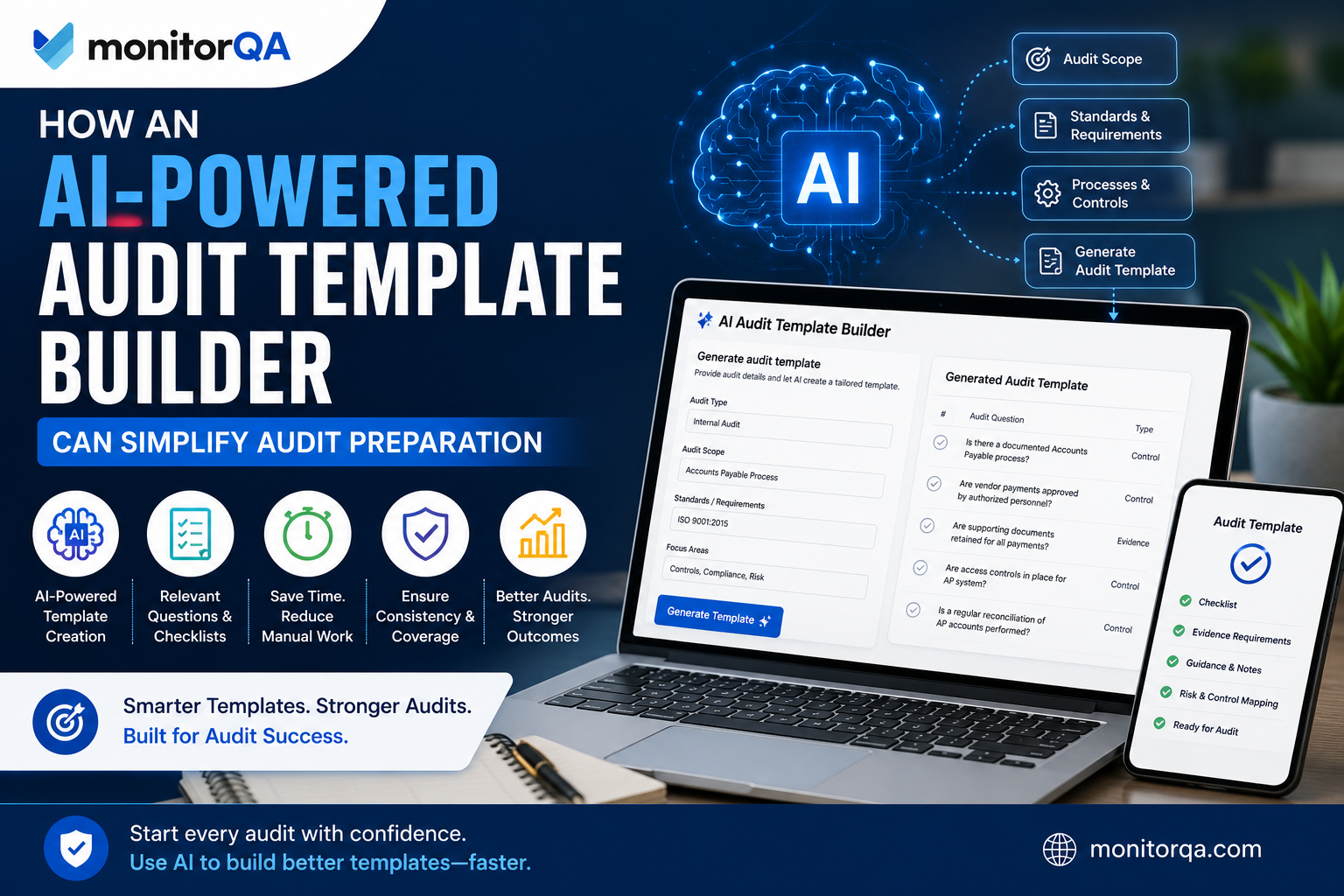
What Is an AI-Powered Audit Template Builder?
An AI-powered audit template builder is a software capability that uses artificial intelligence to help create audit checklists, questions, criteria, evidence requirements, and other elements of an audit template.
Traditional template creation generally depends on an auditor manually assembling information from standards, regulations, internal procedures, previous audits, and organizational knowledge. An experienced auditor can do this effectively, but it can take considerable time.
An AI-enabled builder changes the starting point.
Instead of creating every question manually, an auditor can provide information such as:
The objective and scope of the audit
The business process or department being reviewed
Applicable standards or regulatory requirements
Specific controls or policies
The type of audit being performed
Areas that require particular attention
The system can then generate an initial set of audit questions or checklist items based on that context.
This does not mean the software understands the organization perfectly or that its output should be accepted without review. AI-generated content should be treated as a starting point. Experienced auditors still need to validate the requirements, remove irrelevant questions, add organization-specific controls, and apply professional judgment.
The value is in reducing the amount of repetitive work required to reach a useful first draft.
Why Traditional Audit Preparation Can Be Time-Consuming
The preparation stage involves several tasks that are important but often repetitive.
Building Checklists From Scratch
An auditor may need to translate an audit scope into individual questions and checkpoints. Even when the process is familiar, creating a complete checklist manually takes time.
For recurring audits, this can result in auditors repeatedly rebuilding material that is substantially similar to previous audits.
Reviewing Previous Audit Documents
Previous reports, checklists, findings, corrective actions, and working papers can contain valuable information. However, extracting the relevant information and deciding what should be carried forward into a new audit is a manual exercise.
Auditors may also need to compare multiple versions of templates to determine which questions are still relevant.
Keeping Templates Current
Requirements change. Internal processes change. Responsibilities move between departments. New controls are introduced, while others are removed.
A checklist that was appropriate several years ago may not provide sufficient coverage today. Maintaining templates therefore requires an ongoing review process rather than simply reusing the same document.
Maintaining Consistency
When different auditors create their own spreadsheets or documents, the audit approach can vary considerably.
One auditor may ask detailed questions about evidence and controls, while another may use a much shorter checklist. Standardized templates can help establish a common baseline without preventing auditors from adapting the audit to specific circumstances.
Researching Requirements
Auditors often need to understand applicable requirements before developing questions. Depending on the audit, this can involve standards, policies, procedures, contractual obligations, regulatory requirements, or internal controls.
Research remains a professional responsibility, but software can help organize the resulting criteria into a usable audit structure.
How an AI-Powered Audit Template Builder Works
Although implementations differ between platforms, the process generally follows a series of practical steps.
1. Define the Audit Scope
The first step is to establish what the audit will examine.
For example, an internal audit might focus on the procurement process from purchase requisition through supplier payment. A quality audit might focus on production controls, while a compliance audit might examine how a particular regulatory requirement is being implemented.
The more specific the scope, the more useful the resulting template is likely to be.
2. Identify Applicable Requirements
The auditor identifies the standards, policies, regulations, controls, or other criteria relevant to the audit.
These requirements provide the foundation against which questions and evidence expectations can be organized.
3. Provide Organizational Context
Context matters. A generic question may not be useful for every organization.
Information about the department, process, location, responsibilities, systems, or specific risks can help shape a more relevant initial checklist.
4. Generate Questions and Checklist Items
The AI can then generate an initial set of questions or checkpoints based on the information provided.
Instead of simply producing a list of generic questions, a well-configured system can help organize the template around areas such as requirements, controls, evidence, responsible owners, and potential findings.
5. Review and Customize the Template
This is a critical step.
The auditor should review every generated item and determine whether it is relevant, accurate, sufficiently specific, and appropriate for the audit scope.
Questions can be rewritten, removed, combined, or supplemented with organization-specific requirements.
6. Assign Responsibilities and Evidence Requirements
Once the checklist has been reviewed, responsibilities can be assigned to auditors or process owners. The team can also establish what documents, records, system evidence, interviews, or observations may be required.
7. Finalize the Audit
After review and approval, the template becomes the working structure for the audit.
The important distinction is that AI assists with preparation; it does not make the final audit decision.
How an AI Audit Tool Can Improve Audit Questions
One of the more useful applications of AI in audit preparation is helping teams develop questions that are structured around the audit objective.
For example, suppose an internal audit team is reviewing a company's supplier onboarding process.
Instead of starting with a generic checklist, the team could provide the audit objective, process description, relevant policy requirements, approval controls, supplier due diligence expectations, and previous areas of concern.
An AI audit tool could help generate an initial set of questions covering areas such as:
Whether supplier approvals follow the defined process
What evidence demonstrates completion of due diligence
How exceptions are documented and approved
Who has responsibility for maintaining supplier records
How inactive or high-risk suppliers are reviewed
The auditor can then compare these questions against the actual process and determine which ones belong in the audit.
AI can also help organize criteria and evidence expectations so that the auditor does not have to manage everything as disconnected notes or spreadsheet columns.
However, an AI tool cannot guarantee that every relevant risk or requirement has been identified. The quality of the output depends on the information provided, the system's capabilities, and the auditor's review.
The Role of AI Audit Software Across the Audit Lifecycle
A template builder addresses one specific part of the audit process: preparation.
AI audit software, when implemented as part of a broader audit platform, can potentially support activities beyond template creation.
Depending on the software, AI capabilities may assist with audit planning, scheduling, evidence organization, finding analysis, corrective action workflows, reporting, and follow-up activities.
For example, AI may help summarize information collected during an audit or organize large amounts of evidence for further review. It could also help identify recurring themes across findings where the platform has appropriate data and analysis capabilities.
These capabilities should be viewed as assistance rather than autonomous auditing. Decisions about audit conclusions, material findings, risk significance, and corrective actions still require appropriate professional judgment.
Connecting Preparation With Audit Management Software
An audit management software platform can provide value by connecting the audit template with the rest of the audit workflow.
Instead of creating a checklist in one spreadsheet, storing evidence in separate folders, recording findings in another document, and tracking corrective actions through email, an integrated platform can bring these activities into a common workflow.
Depending on the solution, this can include:
Audit planning and schedules
Standardized checklists and templates
Evidence collection and management
Findings and observations
Corrective action tracking
Approvals and notifications
Reports and dashboards
Version control
Audit trails
User permissions
The practical advantage is continuity.
When audit preparation, fieldwork, findings, corrective actions, and reporting are connected, teams spend less time transferring information between systems. Audit managers can also gain better visibility into the status of individual audits and outstanding actions.
Audit Management System vs. AI-Powered Audit Template Builder
These two terms describe different levels of functionality.
An AI-powered audit template builder is primarily focused on creating and improving audit templates. Its purpose is to help auditors develop questions, checklists, criteria, and evidence requirements more efficiently.
An audit management system, on the other hand, generally supports the broader audit lifecycle.
It may include audit planning, risk assessment, scheduling, templates, fieldwork, evidence management, findings, corrective actions, approvals, reporting, and follow-up.
In other words, an AI-powered template builder can be one capability within an audit management system.
This distinction is important when evaluating software. If your main problem is spending too much time creating checklists, a template-building capability may address the immediate need. If your organization struggles with disconnected audit processes, duplicated information, corrective action tracking, or limited management visibility, a broader audit management system may be more appropriate.
Key Benefits of an AI-Powered Audit Template Builder
Reducing Preparation Time
The most direct benefit is reducing the time required to create an initial audit checklist.
Auditors can begin with an AI-generated structure rather than a blank document and spend their time reviewing and improving the content.
Creating More Consistent Templates
Organizations conducting similar audits across departments or locations can establish a more consistent starting point.
Standardization also makes it easier for audit managers to compare approaches and maintain common expectations.
Improving Audit Coverage
An AI-generated starting point can prompt auditors to consider areas that might otherwise be overlooked during an initial drafting exercise.
It should not replace risk assessment or professional judgment, but it can provide another layer of support when developing the checklist.
Reducing Administrative Work
Copying questions, formatting spreadsheets, reorganizing sections, and transferring information between documents are necessary tasks, but they do not require an auditor's highest level of expertise.
Reducing this work allows professionals to focus more heavily on analysis and evaluation.
Making Templates Easier to Customize
A useful AI-generated template is not the final product. It is a structured starting point that can be adapted to a particular department, process, risk profile, or audit objective.
Supporting Collaboration
When audit and compliance teams work from shared templates and connected workflows, it becomes easier to establish common expectations and share improvements across audits.
A Practical Example: Preparing an Operational Process Audit
Consider an internal audit team preparing to review the company's purchase-to-payment process.
The team needs to assess purchasing approvals, supplier selection, purchase orders, invoice matching, segregation of duties, and exception handling.
Traditionally, an auditor might review the previous year's checklist, inspect the current procurement policy, compare changes in the process, and manually build a revised spreadsheet.
With an AI-powered template builder, the auditor could enter the audit objective, scope, process description, applicable internal policies, and key controls.
The tool could generate an initial checklist organized around procurement activities and control areas.
The auditor would then review the questions. Some might be removed because they do not apply to the current process. Others could be rewritten to reflect the company's actual approval thresholds or systems. Additional questions could be added based on a recent change in the procurement workflow.
The final template would therefore be shaped by AI assistance and auditor expertise.
The result is not an automated audit. It is a more efficient preparation process.
What to Look for in an AI-Powered Audit Template Builder
Organizations evaluating these solutions should look beyond the AI label.
The underlying audit workflow matters just as much as the generation capability.
Look for a solution that provides:
Customizable audit templates
AI-generated questions or checklist items
Support for different audit types
Ability to review and edit generated content
Integration with audit planning and fieldwork
Evidence management
Corrective action tracking
Reporting and dashboards
Template version control
Audit trails
Appropriate user permissions
Data security and access controls
It is also worth evaluating how much control auditors have over AI-generated content. A good workflow should make it easy to review, modify, approve, and document changes rather than treating generated content as automatically authoritative.
Limitations and Considerations When Using AI for Audit Preparation
AI can reduce manual effort, but it does not remove the responsibilities associated with auditing.
Review AI-Generated Content
Generated questions can be incomplete, overly broad, irrelevant, or based on assumptions that do not apply to the organization.
Every template should therefore go through appropriate human review.
Validate Requirements
Applicable standards, regulations, policies, and controls should be verified against authoritative sources and current organizational requirements.
An AI-generated checklist should never be treated as proof that all compliance obligations have been covered.
Protect Sensitive Information
Audit materials can contain confidential business information, personal data, security-related details, financial information, and sensitive findings.
Organizations should understand how a software provider handles uploaded information, access permissions, retention, and data security before using AI features with sensitive audit data.
Avoid Over-Reliance on Automation
AI can help identify patterns and suggest questions, but it cannot replace the auditor's understanding of the business, evaluation of evidence, or professional judgment.
The objective should be better-supported decision-making, not removing human oversight.
How to Use an AI-Powered Audit Template Builder Effectively
The quality of the final template depends heavily on how the tool is used.
A practical approach is to:
Define the audit objective clearly. State what the audit is intended to evaluate.
Provide accurate context. Include relevant information about the process, department, systems, and responsibilities.
Specify applicable requirements. Identify the standards, policies, regulations, and controls that matter.
Generate the initial template. Use AI to create the first draft of questions and checklist items.
Review every question. Remove generic, duplicated, or irrelevant content.
Customize the checklist. Add organization-specific controls, risks, and areas of concern.
Confirm evidence requirements. Determine what documentation or other evidence should support each relevant checkpoint.
Assign responsibilities. Establish which auditor or team member will perform each part of the audit.
Improve the template after the audit. Use legitimate lessons from findings, corrective actions, process changes, and audit feedback to improve future versions.
This final step is particularly important.
Organizations can gradually improve their audit approach when they deliberately incorporate lessons from completed audits. That might mean adding a question after a recurring finding, removing a checkpoint that consistently proves irrelevant, or updating a section after a process changes.
The improvement comes from the organization's audit process and governance. AI may assist with organizing or generating content where the software supports those capabilities, but teams should not assume that every AI system automatically learns from previous audits.
Conclusion
Audit preparation does not need to begin with a blank spreadsheet. An AI-powered audit template builder can help auditors create an initial structure of questions, criteria, evidence requirements, and checklist items based on the specific audit they are preparing. This can reduce repetitive preparation work while helping teams establish more consistent and organized audit processes.
The important point is that AI should support auditors, not replace them.
Experienced professionals still need to define the audit objective, validate requirements, assess risks, review generated questions, evaluate evidence, and make decisions based on professional judgment. The technology simply helps reduce some of the administrative work that comes before those activities.
For organizations already using or considering audit management software, an AI-powered template builder can be especially useful when it is connected to planning, evidence collection, findings, corrective actions, reporting, and follow-up. Instead of treating audit preparation as an isolated spreadsheet exercise, teams can make it part of a connected audit workflow.
Comments
Log in or sign up to join the conversation.