

Discover common Deskar inserts problems in CNC machining, including tool wear, chipping, vibration, breakage, and poor surface finish.
How to Troubleshoot Common Deskar Inserts Problems in CNC Machining
CNC machining relies on clean cutting, steady tool behavior, and a proper setup. If you see rough surfaces, fast tool wear, chatter, or sudden tool failure, the insert is a good place to check first. Knowing what usually goes wrong with inserts can help keep the line running and keep the final parts steady.
Insert troubles often start with basics. Cutting settings may be off, the insert shape may not match the job, the part may not be held well, or coolant may not be getting where it should. Pinpointing the real reason can cut down on wasted swaps and reduce lost machining time.
Common Problems With CNC Inserts
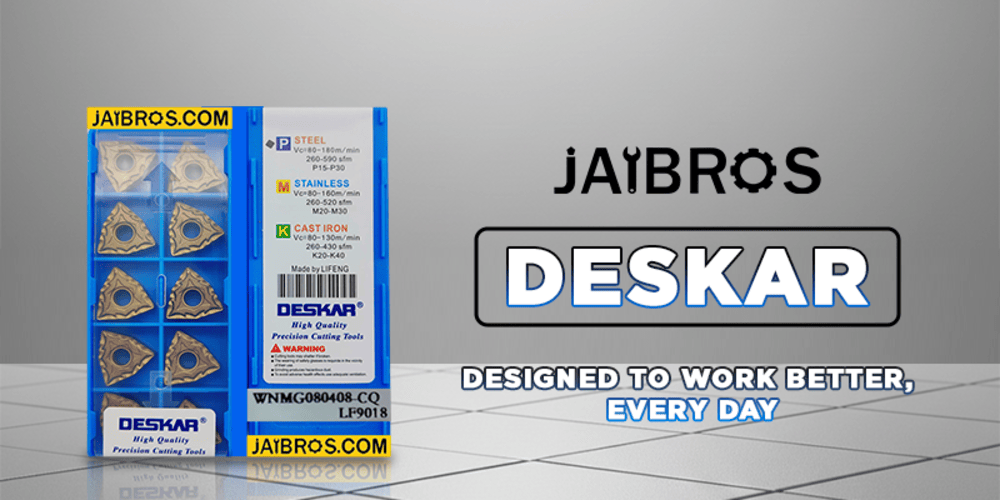
Using deskar inserts correctly requires attention to the workpiece material, cutting speed, feed rate, depth of cut, and type of machining operation. A suitable combination of these factors helps maintain stable cutting conditions.
1. Excessive Insert Wear
CNC turning often faces tool wear. A slow, steady change is expected. If wear happens much faster than usual, it can point to wrong cutting settings.
Too much cutting speed can add heat. If the feed rate is also not right, the cutting edge may take extra shock. Choosing the right cutting inserts from the correct supplier for the job can make tool life steadier.
It also helps to check the tool tip often. Watch for shifts in surface finish and in part size. Swap the insert before it gets badly worn. This can stop harm to the workpiece.
2. Cutting Edge Chipping
Chipping occurs when small pieces break away from the cutting edge. It may happen when the insert experiences sudden impact, interrupted cuts, excessive cutting forces, or an unsuitable geometry.
Deskar carbide inserts are designed for demanding machining applications, but correct operating conditions are still important. When chipping occurs repeatedly, check the workholding, depth of cut, feed rate, and insert grade.
For interrupted cuts, a tougher grade or more suitable edge preparation may be required. Avoid making sudden changes to machining parameters without understanding the cause of the failure.
3. Poor Surface Finish
A poor surface finish can result from several factors. Worn cutting edges, excessive vibration, incorrect feed rates, and an unsuitable nose radius can all affect the finished surface.
If CNC turning inserts are producing inconsistent results, inspect the insert condition first. The tool holder should also be properly secured, and the workpiece must be firmly clamped.
In finishing operations, selecting the correct geometry and maintaining stable cutting parameters can significantly influence the final surface quality.
4. Excessive Vibration and Chatter
Chatter produces unwanted vibration and can leave visible marks on the machined component. It may also accelerate tool wear and reduce insert life.
Check whether the tool is extending too far from the holder. Excessive tool overhang reduces rigidity and can increase vibration. Workpiece stability is equally important.
The selection of carbide turning inserts should also match the machining operation. A suitable insert geometry combined with stable cutting conditions can help reduce cutting forces and vibration.
5. Built-Up Edge
Built-up edge occurs when material from the workpiece sticks to the cutting edge. It can change the effective geometry of the tool and lead to poor surface quality.
This problem is often associated with unsuitable cutting speeds, insufficient lubrication, or machining materials that are prone to sticking. Adjusting cutting conditions and improving coolant or lubrication can help control the issue.
Machinists should also make sure the selected insert is appropriate for the workpiece material rather than choosing an insert based only on its appearance or price.
6. Insert Breakage
Complete insert breakage is usually a sign of excessive cutting forces or an unstable machining condition. Possible causes include excessive depth of cut, aggressive feed rates, interrupted cutting, incorrect insert seating, or insufficient workholding.
Before installing a new insert, inspect the tool holder and insert pocket for damage or contamination. Even a small amount of debris can prevent proper seating.
When selecting carbide inserts, consider both the material being machined and the type of operation. Roughing and finishing may require different insert characteristics.
How to Troubleshoot Insert Problems
A systematic approach makes troubleshooting easier. First, identify the exact failure pattern. Examine the cutting edge and note whether the problem is wear, chipping, cracking, built-up material, or breakage.
Next, check the machining parameters and compare them with the recommended range for the selected insert. Inspect tool overhang, workholding, coolant flow, and insert seating as well.
Finally, change one variable at a time where possible. This makes it easier to determine which adjustment actually improves performance.
Conclusion
Effective troubleshooting can prevent small machining problems from becoming expensive production issues. Regular inspection, stable machining conditions, and appropriate tool selection are essential for reliable CNC operations.
By understanding common causes of wear, chipping, chatter, poor surface finish, and breakage, machinists can make better decisions about tooling and machining parameters. Deskar inserts can deliver consistent results when matched correctly with the machine, workpiece, and cutting conditions.
For professional machining environments, choosing suitable cutting inserts and maintaining the complete tooling setup is just as important as selecting the right machine parameters. Proper troubleshooting ultimately helps improve tool life, machining accuracy, and production consistency.
Deskar inserts should therefore be evaluated as part of the complete machining system rather than as an isolated component. With regular inspection and parameter optimization, CNC machinists can reduce unexpected failures and maintain reliable machining performance.
Comments
Log in or sign up to join the conversation.