

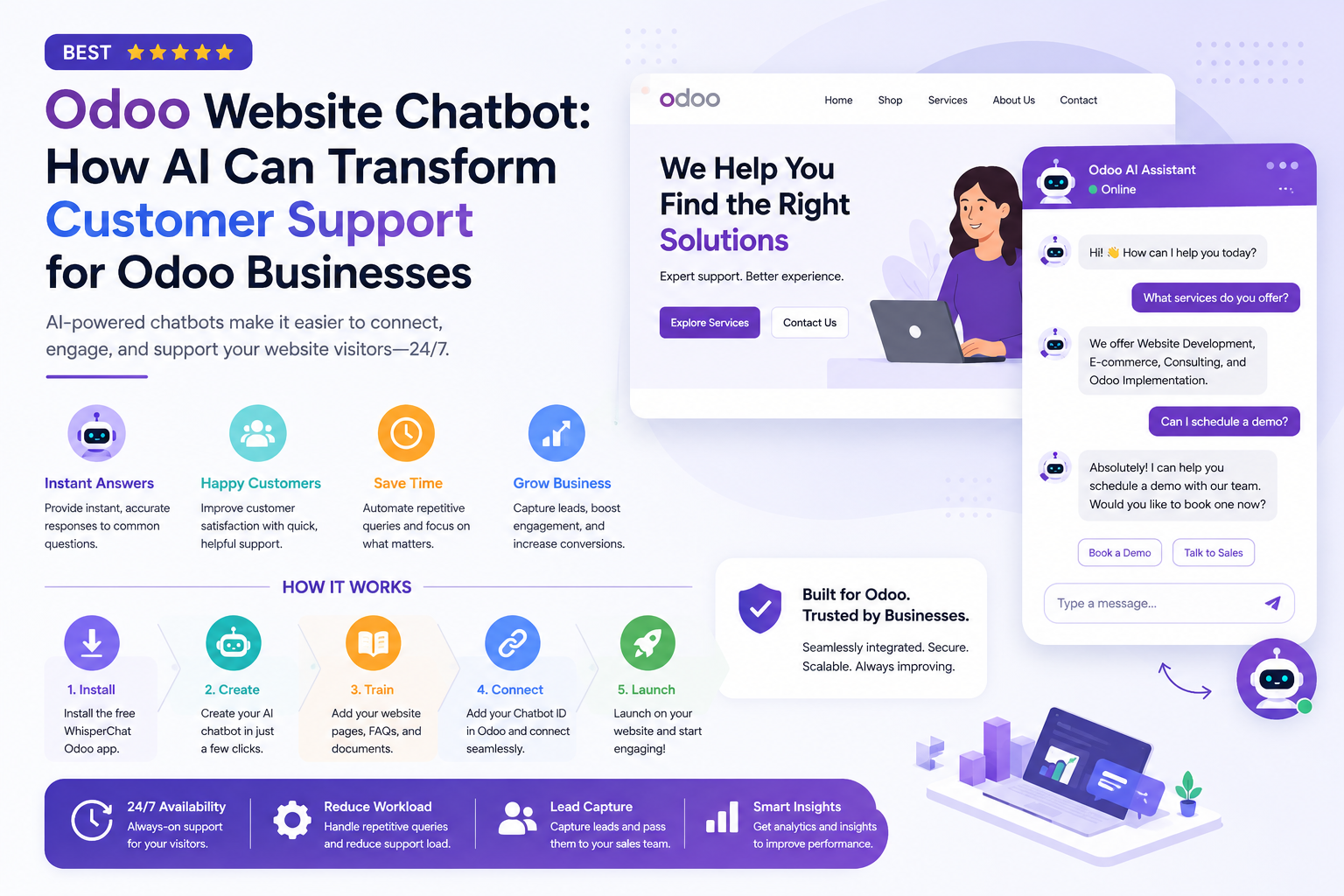
An Odoo website can serve as the central hub for a business’s products, services, contact information, events, and customer resources. But as a website grows, visitors may struggle to find the exact information they need. They may want to know about pricing, services, products, policies, booking options, or how to contact the right team.
An Odoo website chatbot can make this process easier by giving visitors an interactive way to get answers without searching through multiple pages.
WhisperChat provides an AI chatbot designed specifically for Odoo websites. It can use a business’s website content, FAQs, and documents as knowledge sources, allowing visitors to ask questions and receive answers directly through a website chat widget.
What Is an Odoo Website Chatbot?
An Odoo website chatbot is an AI-powered support assistant that operates directly on an Odoo website. Instead of requiring visitors to browse through menus, search pages, or submit a contact form for every question, the chatbot provides a conversational interface where they can ask questions in natural language.
For example, a visitor might ask:
What services does your company offer?
Which product is right for me?
What are your pricing options?
How can I book a consultation?
What is your return or cancellation policy?
Can someone from your team contact me?
WhisperChat can use your website content, FAQs, and business documents to provide relevant answers to customer questions.
This makes an AI chatbot particularly useful for businesses that receive many repetitive questions from website visitors.
Why Businesses Need AI Chatbots for Odoo Websites
Traditional website navigation assumes that visitors already know where to find information. In reality, customers often skim pages, compare products, or leave a website when they cannot quickly find an answer.
An AI chatbot changes that interaction.
Instead of forcing visitors to search through several pages, the chatbot provides a direct conversational path to relevant information.
1. Provide Instant Answers
Customers increasingly expect quick responses. Waiting for an email or a member of the support team may not be practical when someone is ready to make a purchase or request information.
An AI chatbot can answer common questions immediately, helping visitors continue their journey without waiting for a human response.
WhisperChat is designed to provide 24/7 responses to repetitive customer questions using the business's trained content.
2. Reduce Repetitive Support Work
Many support teams spend a significant amount of time answering the same basic questions.
Questions about pricing, services, product details, policies, contact information, and procedures can often be answered using existing website content.
By handling these first-line questions automatically, an Odoo website chatbot can help employees spend more time on complex customer issues that require human judgment.
3. Make Website Content Easier to Access
Businesses may already have extensive information available on their websites and in internal documents. The challenge is making that information easy for visitors to find.
WhisperChat allows businesses to add website pages, FAQs, and documents as knowledge sources for the chatbot.
Instead of asking visitors to locate the correct page themselves, the chatbot becomes an additional access point to that information.
4. Support Lead Generation
A website chatbot does not have to be limited to customer support.
It can also help identify visitors who are interested in a product or service. For businesses using Odoo for sales and CRM workflows, conversational lead capture can provide additional context before a sales representative follows up.
According to WhisperChat, lead capture is available on paid plans and is designed to work with Odoo Website visitor interactions.
How the WhisperChat Odoo Chatbot Works
The setup process is designed to be straightforward.
The basic flow consists of five steps:
Install → Create → Train → Connect → Launch
Step 1: Install the Odoo App
Businesses can install the free WhisperChat Odoo app and connect it with their WhisperChat account.
Step 2: Create a Chatbot
After installation, create an AI chatbot that will act as the website's first-line support assistant.
The chatbot can be configured around the information and questions relevant to the business.
Step 3: Add Your Knowledge
The chatbot needs reliable information to provide useful answers.
Businesses can train WhisperChat using sources such as:
Odoo website pages
FAQs
Business documents
Product information
Service information
Policies and other relevant content
This approach helps the chatbot respond based on the company's own information rather than relying solely on generic responses.
Step 4: Add the Chatbot ID to Odoo
Once the chatbot is ready, the chatbot ID can be added to the relevant Odoo settings.
Step 5: Launch the Website Chatbot
After configuration, visitors can interact with the chatbot directly from the Odoo website.
The result is an AI conversational support channel available alongside the site's existing pages and navigation.
What Questions Can an Odoo AI Chatbot Answer?
The usefulness of an AI chatbot depends heavily on the quality and relevance of its knowledge base.
For an Odoo website, common applications include:
Product Questions
An ecommerce business can use a chatbot to help visitors understand products, features, policies, and purchasing information.
Service Questions
Service companies can provide quick answers about available services, pricing information, booking processes, and next steps.
Policy Questions
Businesses can make information about policies easier to access by allowing customers to ask questions conversationally.
Contact and Booking Questions
Visitors can ask how to contact the business, schedule a consultation, request a quote, or begin the next stage of the buying process.
General Website Questions
The chatbot can also help visitors locate information that already exists on the website but may be difficult to discover through traditional navigation.
WhisperChat specifically lists questions about services, products, prices, policies, booking, buying, contact options, and additional details as suitable website chatbot queries.
Odoo Website Chatbot vs. Traditional Live Chat
Live chat and AI chatbots serve different purposes.
With traditional live chat, a customer typically needs to wait for a human agent to become available. This can work well for complicated or sensitive issues, but it can also create unnecessary workload when the question is simple.
An AI chatbot can handle repetitive first-line questions automatically while allowing human employees to focus on conversations that genuinely require their involvement.
The ideal approach is therefore not necessarily AI instead of humans.
It is often:
AI for repetitive questions + humans for complex conversations.
This hybrid model can provide faster customer service while maintaining human oversight.
Benefits for Small and Growing Businesses
An Odoo website chatbot can be particularly useful for businesses with small support or sales teams.
Instead of hiring additional staff simply to answer repetitive website questions, businesses can automate a portion of the first-line interaction.
Potential benefits include:
Faster responses to website visitors
Reduced repetitive support workload
24/7 availability
Easier access to existing website information
Additional opportunities for lead capture
A more conversational website experience
Better use of support-team time
WhisperChat positions its platform around reducing repetitive support work while allowing businesses to maintain control over customer conversations.
Choosing the Right Odoo Chatbot
Before adding an AI chatbot to an Odoo website, businesses should evaluate several factors.
Knowledge Accuracy
The chatbot should be trained using current, reliable business information. Outdated pricing, product details, or policies can create poor customer experiences.
Ease of Setup
A solution should not require a large custom development project for a straightforward website support use case.
Human Escalation
AI should not be expected to handle every situation. Businesses should have a way to move conversations to a human when the question is uncertain, complex, or sensitive.
WhisperChat includes escalation as part of its broader support workflow, with escalation routing available on paid plans.
Lead Capture
If the primary goal includes sales and lead generation, check whether the chatbot can collect useful visitor information and pass it to the appropriate team.
Scalability
AI chatbot that works for a small website should also have a practical upgrade path as website traffic and support volume increase.
WhisperChat currently offers Free, Standard, Pro, and Scale plans with different limits for monthly customer questions, chatbots, websites, lead capture, analytics, and other features.
How to Get Better Results From an Odoo AI Chatbot
Simply installing a chatbot is not enough. Its performance depends heavily on how it is configured and maintained.
Keep Your Knowledge Base Updated
If your website changes its pricing, services, policies, or product information, update the chatbot's knowledge sources accordingly.
Start With Common Questions
Identify the questions your support and sales teams receive most frequently. These should become the chatbot's initial knowledge priorities.
Give Visitors a Clear Next Step
A useful chatbot should not only answer questions. It should help visitors move forward, whether that means viewing a product, requesting a quote, booking a service, contacting sales, or speaking with a human.
Monitor Conversations
Review chatbot interactions to discover unanswered or confusing questions. These conversations can reveal gaps in your website content and help improve the overall customer experience.
Is an Odoo Website Chatbot Worth It?
For businesses that receive repetitive questions through their websites, an AI chatbot can be a practical addition to an Odoo-based digital experience.
The strongest use case is not replacing the entire support team. Instead, it is handling the repetitive first layer of customer communication while giving employees more time for complex issues, sales conversations, and relationship building.
WhisperChat Odoo integration provides a direct setup path: install the Odoo app, create a chatbot, train it with website content and documents, add the chatbot ID to Odoo, and launch it on the website.
For businesses already using Odoo Website, this can provide a relatively simple way to introduce AI-powered customer support without building a chatbot infrastructure from scratch.
Final Thoughts
An Odoo website chatbot can turn a static website into a more interactive customer support channel.
Instead of making every visitor search through pages or wait for an employee to answer a basic question, businesses can provide an AI-powered conversational experience directly on their website.
With WhisperChat, Odoo users can train a chatbot on their own website content, FAQs, and documents, deploy it on their Odoo website, answer common questions, and use lead capture and escalation features as their requirements grow.
For businesses looking to reduce repetitive support work while making website interactions faster and more convenient, an Odoo AI chatbot is worth considering as part of a broader customer-support and lead-generation strategy.
This connects the trained AI assistant to the Odoo website.
Comments
Log in or sign up to join the conversation.