
Your list has 8,000 contacts. Salesforce caps you at 5,000 emails a day. So now what? Do you split the send, wait until tomorrow for the rest, or go find a tool that actually solves the problem instead of working around it?
That’s the exact spot most RevOps and marketing teams land in once their Salesforce org grows past a certain size. Native Salesforce email works fine for small lists and transactional notes. It starts breaking down the moment you need real campaign volume, and that’s when teams start comparing Salesforce email tools in earnest.
Native Salesforce Email: Free, But Capped Fast
Every Salesforce org ships with basic email sending built in. No install, no extra login, no new tool for your admin to manage.
That’s also the whole appeal. It stops there.
360 Mass Mailer: Native Sending Without Salesforce’s Daily Cap
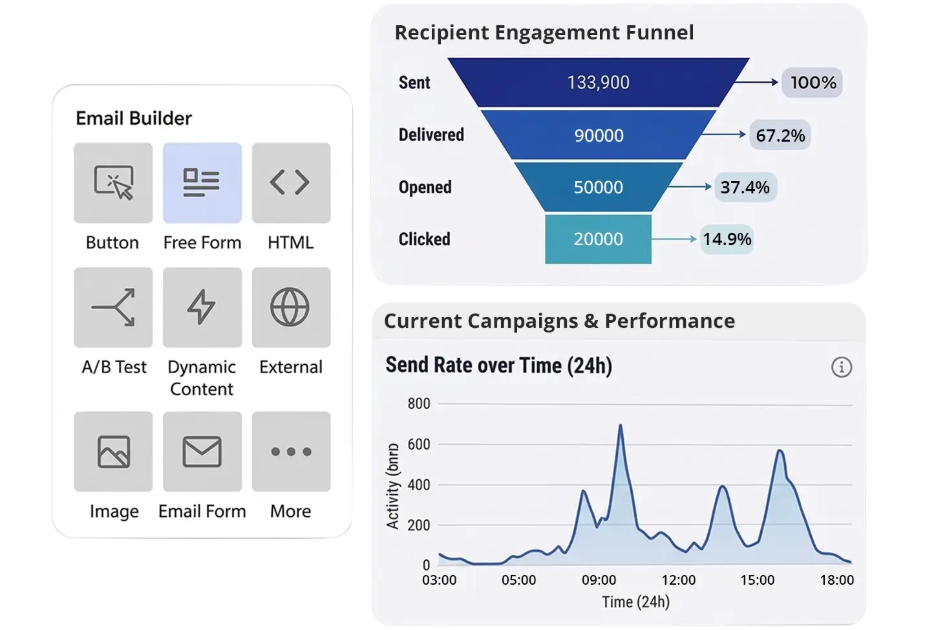
360 Mass Mailer is an AppExchange app built directly on the Salesforce platform, not a separate system you sync data into. It runs on SendGrid’s delivery infrastructure underneath, which is what lets it move past Salesforce’s native email restrictions while keeping every send, open, and click logged back to Salesforce records.
The app supports sending from three different starting points: an object’s list view, a Campaign, or a Salesforce Report (any custom or standard object works, once configured). That flexibility matters if your sales team wants to email a filtered list view while marketing works from Campaign membership.
MassMailer: Pooled Volume Pricing With Verification Built In
MassMailer is another Salesforce-native AppExchange app, and like 360 Mass Mailer, it runs entirely inside the CRM using SendGrid infrastructure for delivery.
Pricing starts around $219/month and scales up based on user count and monthly email volume, which is pooled across the whole org rather than allocated per seat. That means two users and twenty users draw from the same monthly bucket, and unused sends don’t roll over month to month. Going over your allotment costs roughly $25 per additional 10,000 emails, based on the vendor’s published pricing.
Mailchimp for Salesforce: Familiar Interface, But It’s Not Native
Mailchimp is the tool most marketers already know, which is exactly why teams ask about connecting it to Salesforce. The integration, sometimes called MC4SF, syncs data between the two systems rather than running email inside Salesforce itself.
Account Engagement (Pardot): Built for B2B Nurture, Not Simple Sends
Salesforce Marketing Cloud Account Engagement, still widely called Pardot, is Salesforce’s own answer to B2B marketing automation. It’s native to the Salesforce ecosystem in the sense that it’s a Salesforce product, though it runs as a connected application rather than sitting inside your core org the way 360 Mass Mailer or MassMailer do.
Pricing starts at $1,250/month for the Growth tier and scales to $15,000/month at the Premium tier, based on the number of marketable contacts in your database rather than seat count. That’s a different order of magnitude from the AppExchange apps above, and it reflects a different job entirely.
Conclusion
Match the tool to the job, not the other way around. Among the top Salesforce bulk email apps covered here, none of them is universally “best.” The right one depends on your list size, budget, and how deep your nurture strategy actually needs to go.
Read Full Article Here- https://360degreecloud.com/product/mass-mailer/blog/5-best-salesforce-email-tools-compared-features-pricing-and-limits/
Comments
Log in or sign up to join the conversation.